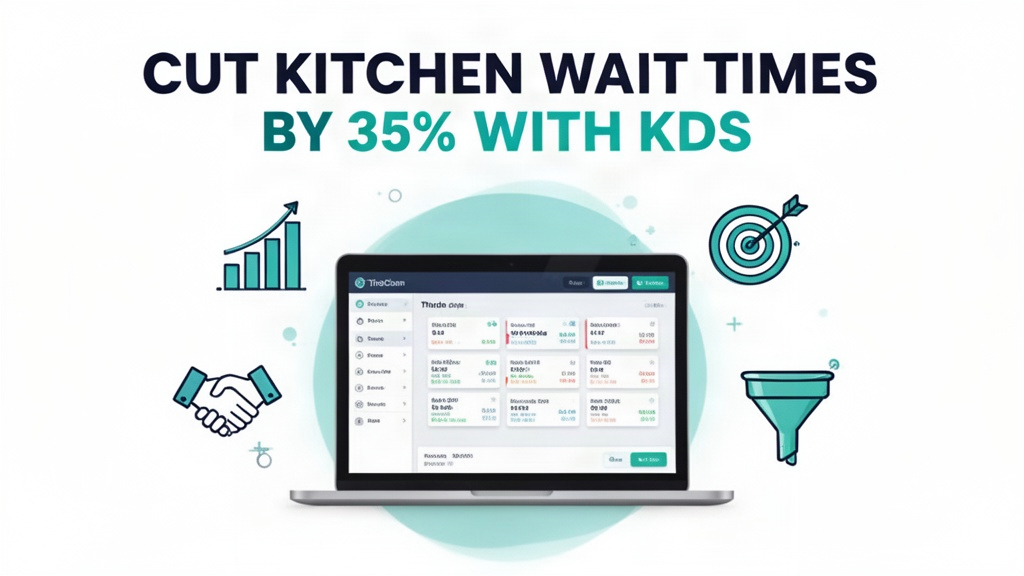
It's 8:45 PM at a popular Lebanese restaurant in Doha's West Bay district. The restaurant has 50 tables, and tonight it's fully booked. The head chef is already overwhelmed. He has received 12 orders through the POS system, and three waiters are simultaneously calling him to clarify modifications. "Table 7 asked for extra tahini" — "Table 15 said the lamb is undercooked" — "Table 9 wants to change their order". The chef keeps glancing at the kitchen display system, but it's not responding quickly enough. The kitchen staff are crowded around the display, squinting at small text on multiple screens, and shouting order details to each other. Meanwhile, customers in the dining area are getting restless, and the waiters are apologizing repeatedly for delays.
This scene plays out in restaurants across Qatar every night. Without proper digital kitchen workflows, order errors, miscommunications, and slow kitchen speeds become inevitable. In a competitive restaurant scene where Qataris and expats alike expect fast service, these delays directly impact customer satisfaction and repeat business. The restaurant industry in Doha has grown rapidly in recent years, with new venues opening monthly. Restaurants that fail to modernize their kitchen operations struggle to compete with establishments that have adopted digital ordering and display systems.
Order errors between front-of-house and kitchen staff
The dinner rush creates inevitable communication gaps between servers taking orders and kitchen staff preparing food. In traditional restaurant setups, servers write orders on paper tickets and deliver them to the kitchen. The kitchen staff prints the tickets, manually calculates prep times, and begin cooking. If a server forgets an instruction or a kitchen staff member misreads a ticket, errors occur. These errors range from minor issues like missing condiments to serious problems like wrong ingredients or completely incorrect dishes. When errors happen during peak hours, the kitchen slows down as cooks stop work to clarify orders, reprint tickets, or re-cook mistakes.
For a 50-seat restaurant, order errors can mean dozens of mistakes per night. Some restaurants compensate for this by having a manager or kitchen supervisor constantly relay orders between front and back of house, but this creates another bottleneck and reduces kitchen efficiency. The repeated errors also frustrate customers who receive incorrect orders, leading to complaints, refunds, or lost loyalty. In Doha's restaurant scene, where word-of-mouth recommendations among the expat community are powerful, a few bad experiences can spread quickly through social media and review platforms.
Beyond the immediate operational impact, order errors create significant food waste. When a dish is prepared incorrectly, it must be discarded and re-prepared. This wastes ingredients, labor time, and water. In a market where food waste represents a substantial cost, these errors directly reduce profit margins. Additionally, the time spent correcting errors takes away from productive cooking time during peak hours, further slowing service. The restaurant operates at reduced capacity when it should be maximizing throughput.
What the Restaurant POS System Actually Does
Ubisky's Restaurant POS system transforms the entire order-to-kitchen workflow into a seamless digital process. When a waiter takes an order at the table using a tablet or handheld device, the system immediately sends the order to the kitchen display system. The kitchen sees the order in real time with clear layout of tables and order numbers. The system groups items logically and calculates estimated preparation times based on complexity. As each item is prepared, kitchen staff mark it complete on the display. When all items for an order are marked ready, the system automatically updates the table status, and the server can pick up the food.
The system eliminates paper tickets entirely, reducing errors from illegible handwriting, lost tickets, or misread details. Every modification, special instruction, or customer request is captured digitally and appears on the kitchen display exactly as entered. No more frantic phone calls from the kitchen to the front of house. No more ambiguity about whether a customer wants sauce on the side or extra cheese on top. The digital system ensures complete accuracy from order placement to food delivery.
The POS system also handles billing and payment seamlessly. When a table finishes dining, the server opens the check in the system, applies any discounts or specials, and presents the bill. Multiple payment methods are supported including credit cards, cash, and QR code payments. Customers can pay directly at the table using tablets, and the system automatically generates receipts. The entire billing process takes less than 30 seconds, even during peak hours, and reduces disputes about bill amounts.
Digital order taking with kitchen display system, Automated inventory tracking and low-stock alerts, Fast billing with multiple payment options, Daily sales and margin analytics
Digital order taking with kitchen display system
The order workflow begins at the table where waiters use iPads or handheld devices to capture orders. The interface is designed for quick entry with suggested items, modifiers, and portion size options. The system automatically calculates taxes and provides clear totals before submission. Once an order is placed, it appears instantly on the kitchen display system with the table number, server name, and order details. The system shows a visual representation of tables with order numbers next to each, making it easy for kitchen staff to see which tables are ready for pickup.
The kitchen display system provides multiple advantages over traditional ticketing. Orders are color-coded by preparation time—red for urgent items, yellow for normal prep, and green for items that take longer. This visual cueing helps kitchen staff prioritize work during rush periods. The system also shows preparation time estimates, helping cooks plan their workflow and communicate realistic completion times to waiters. As items are completed, cooks mark them on the display, and the system updates the status in real time. This transparency prevents the common problem where waiters repeatedly ask about order status.
Automated inventory tracking and low-stock alerts
The POS system maintains a complete inventory database with automatic tracking of ingredients as they are used. When an order is placed, the system automatically deducts items from inventory counts. This real-time tracking ensures that inventory records are always accurate without manual data entry. The system also tracks supplier stock levels and generates purchase orders automatically when inventory drops below minimum thresholds. This prevents stockouts that could disrupt kitchen operations.
Inventory management extends to consumables like oil, cleaning supplies, and napkins. The system tracks usage and automatically suggests reordering when supplies run low. For perishable ingredients, the system tracks rotation dates and can alert staff to use older stock first, reducing waste. This comprehensive tracking helps restaurant managers understand exactly what they're spending on ingredients and identify opportunities to reduce costs. The system also supports recipe-based costing, automatically calculating the cost of each dish based on current ingredient prices.
Fast billing with multiple payment options
Billing is completed at the table using the same POS device that captured the order. The system shows the complete bill with line items, taxes, and any discounts. Multiple payment methods are supported including credit cards, cash, and QR code payments. In Doha, QR code payments have become increasingly popular, and the system integrates with local QR payment gateways for seamless checkout. Customers can scan a code with their preferred payment app and complete payment directly at the table, reducing wait times and improving the customer experience.
The system automatically applies discounts and applies taxes according to local regulations. It generates receipts that can be printed or emailed to customers. For recurring customers, the system can store payment methods for faster checkout in future visits. The entire billing process takes less than 30 seconds, even during peak hours when multiple tables are paying simultaneously. This speed reduces congestion at the front desk and allows servers to spend more time with customers.
Daily sales and margin analytics
The system provides comprehensive reporting on restaurant performance. After each day, managers receive a summary of sales, revenue by category, and labor costs. The system breaks down sales by time period, showing when the restaurant is busiest and when it's slow. This data helps managers schedule staff more effectively and optimize table turnover. The system also provides margin analysis, showing which dishes are most profitable and which may need pricing adjustments.
The analytics include detailed reports on inventory usage, waste, and cost of goods sold. Managers can compare actual costs to target costs and identify areas where spending is exceeding projections. The system tracks customer behavior patterns, such as popular times, typical order sizes, and average spend per customer. This data supports strategic decisions like menu changes, pricing strategies, and marketing campaigns. The reports are visual and easy to understand, with charts and graphs that highlight key trends and opportunities.
| Stat | Value |
|------|-------|
| Order preparation time reduction | 30-40% |
| Average kitchen wait time without KDS | 15-20 min |
| Food waste from order errors | 12-18% |
Local market context: Qatar Restaurants
Qatar's restaurant scene reflects its diverse population of Qataris, expats, and tourists. The culinary landscape includes everything from traditional Qatari dishes to international cuisine from across the globe. This diversity creates high expectations for quality and service. In Doha's West Bay and Lusail districts, restaurants compete fiercely for customers, with long wait times during peak hours being a common complaint. Digital ordering and display systems have become increasingly common in high-end establishments, and mid-range restaurants are following suit to maintain competitiveness.
Payment habits in Qatar have shifted strongly toward digital options. According to local statistics, approximately 90% of restaurant transactions in Doha are completed using digital payment methods including credit cards, debit cards, and QR code payments. Customers expect to pay at the table using their smartphones or contactless cards. The POS system's support for multiple payment gateways ensures that restaurants can accept all popular methods without additional hardware. The system also generates QR codes that display prominently on tables, allowing customers to pay without waiting for service.
The restaurant industry in Qatar is heavily regulated, with strict requirements for food safety, licensing, and financial reporting. The POS system's comprehensive inventory tracking and automatic reporting help restaurants meet these regulatory requirements. The system maintains detailed records of all transactions, which can be easily exported for audits or inspections. This compliance advantage is particularly valuable for restaurants that deal with high-value ingredients or serve international clientele where food safety standards are critical.
How to get started
- Export your current menu items and pricing from your existing POS or spreadsheet
- Book a 30-minute demo and ask to see the kitchen display system with table layout visualization
- During the demo, test the order flow with your contact details and review the workflow on the display
- Request a 14-day pilot with your busiest service time to evaluate kitchen performance
- Compare your average ticket times in week 1 with your previous month's average
> Book a free demo — we'll show you how Doha restaurants reduce wait times and improve customer satisfaction with KDS integration
> Join 400+ businesses across GCC, Africa and South Asia already using Ubisky. Free 30-day trial — no credit card required.
>
> Book a Free Demo | Explore Restaurant POS
Frequently Asked Questions
Can Ubisky integrate with local payment gateways in Qatar?
Yes. The system integrates with major payment providers including credit card processors and QR code payment gateways used throughout Doha. We can configure the system to work with your preferred payment provider, and our team handles the technical setup. Commonly used methods include credit/debit card payments and QR code scanning via apps like STC Pay or local bank apps. The system supports multiple payment terminals and can process payments at the table or through a checkout counter.
Does the kitchen display system work with multiple screens in the kitchen?
Yes. The system can be configured with multiple kitchen display screens arranged in a layout that matches your kitchen workflow. You can have separate screens for different areas—hot kitchen, cold kitchen, appetizers, main courses, and desserts. The system can also display orders by prep time priority, ensuring urgent items are prominently displayed. Our team will work with you to design the optimal screen layout for your specific kitchen space and service style.
How do we migrate our existing menu during setup?
The migration process begins with you providing your current menu items, descriptions, pricing, and ingredients. Our team creates the menu structure in the system, including categories, subcategories, modifiers, and portion sizes. We recommend migrating your entire menu at once to ensure consistency across all operational areas. For restaurants with large menus, we can prioritize the most popular items first and add others in subsequent phases. Most restaurants complete their menu migration within 5-7 days with our guidance.
Can we track customer preferences and order history?
Yes. The system stores customer details including contact information and order history. When a customer returns, their previous orders appear in the system, allowing you to customize recommendations based on their preferences. The system supports custom notes for regular customers, such as "no onions" or "extra hot sauce." This personalization enhances the customer experience and encourages repeat visits. The system also tracks frequency and spending patterns, helping you identify loyal customers for loyalty programs.
What happens to our existing POS data if we switch systems?
We provide a complete data migration service that transfers all your existing menu items, pricing, inventory data, and customer information to the new system. Our team exports your current data and imports it into the new platform, ensuring no information is lost. The system maintains your historical sales data and reporting capabilities, so you can continue to track trends over time. Before migration, we provide a complete backup of your existing data as an additional safeguard.
Doha restaurants that adopt digital ordering and display systems find that their customers notice the difference immediately. Kitchen wait times decrease, order accuracy improves, and front-of-house staff spend less time clarifying orders. The system's integration with local payment methods and compliance with Qatar's regulatory requirements makes it an ideal solution for restaurants looking to modernize operations while improving the customer experience.
See Restaurant POS in Action
Join 400+ businesses across GCC, Africa & South Asia already using Ubisky.
Free 30-day trial — no credit card required.