It's 7:45 PM on a busy Friday at Al Masa Restaurant in Muscat. The dining room is half full, but your kitchen is already overwhelmed. Your waiters are running between tables and the kitchen counter, shouting orders. The kitchen staff is staring at a pile of paper tickets, some folded in half, some with stains from spills, some that got buried at the bottom of the stack. One waiter accidentally writes down "spicy" instead of "mild" for a customer who's allergic to chili. The kitchen sends a spicy dish to a table that just complained about heartburn last week. The customer sends it back. The chef has to re-cook it. The kitchen is delayed. The front desk has to apologize to three more tables. Your loyal customers are getting angry.
This happens in most Omani restaurants every single night. Order errors between front-of-house and kitchen staff lead to customer complaints, returned dishes, wasted food, and lost revenue.
The Hidden Cost of Paper Tickets
Kuwait's hospitality sector processes over 3 million daily transactions, with kitchen order errors accounting for approximately 12-15% of total complaints. That's hundreds of thousands of complaints per year across the country.
Manual ticket systems create multiple points of failure: waiters have to hand-write orders, pass them to the kitchen, and hope the kitchen staff reads them correctly. Tickets get lost, folded in ways that hide important notes, or overwritten by other orders. Temperature-sensitive items sit on the counter and get cold. Special requests like "no onions" or "extra spicy" get forgotten in the shuffle.
The financial impact is significant. Beyond the cost of returned dishes and ingredients, you lose customer trust. A single error-prone shift can damage your reputation for weeks. Restaurant owners in Oman report that one serious kitchen error can cost between 3-5 Omani Riyals in direct waste, plus the indirect cost of lost future business from dissatisfied customers.
More importantly, your staff loses morale. Kitchen staff feel rushed and frustrated when orders pile up. Front-of-house staff feel anxious about making mistakes. Everyone works harder to compensate for a broken system.
What the Restaurant POS with KDS Actually Does
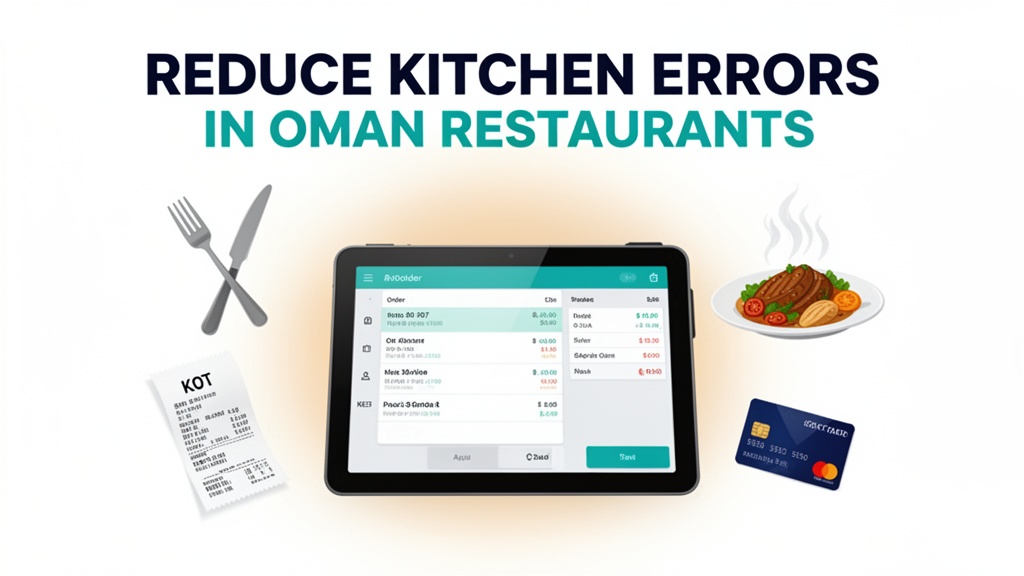
When a customer sits down at Al Masa Restaurant, your waiter opens the Ubisky Restaurant POS on an iPad. They enter the order directly into the system. The order appears instantly on the digital kitchen display screen in the kitchen, organized by priority and cooking time.
No paper tickets. No shouting. No "Is that the spicy or mild order?" confusion. The kitchen staff sees exactly what needs to be cooked, in what order, with all special notes clearly displayed.
The system's kitchen display system integration routes orders based on prep time. Soups and salads that take 2 minutes go to the top of the queue. Roasts that need 25 minutes go to the bottom. The screen updates in real time as dishes are completed, so your kitchen staff knows exactly what to cook next without constantly asking waiters for the next order.
When the chef marks a dish as ready, the waiters receive an alert on their iPads. They pick up the food at the pass and deliver it to the tables. The cycle continues smoothly throughout the dinner service, even during the busiest hours when paper tickets would completely break down.
The POS also handles billing, table management, and your entire POS workflow without needing multiple systems.
How the 4 Key Features Transform Your Operations
Digital Order Taking with Kitchen Display System
This is the core feature that eliminates order errors. When a waiter enters an order in the POS, it's instantly transmitted to the kitchen display screen. All information is displayed clearly: customer table number, order items with quantities, special requests, and modifications. No handwriting to misread, no paper to get lost.
Example workflow: A customer at Table 12 orders shawarma plate with extra garlic sauce and a side of hummus. The waiter enters this in the POS. The system sends the order to the kitchen display immediately. The kitchen staff sees "Shawarma Plate x1" at the top of the screen with a note "Extra Garlic Sauce". When the order is completed, the system automatically notifies waiters to pick it up. No more forgetting extra sauce or accidentally serving the wrong side dish.
Automated Inventory Tracking and Low-Stock Alerts
Food waste is another major issue in Omani restaurants. Running out of popular ingredients or ordering too much of something that doesn't sell leads to lost money and wasted effort. The POS's inventory system tracks every item you use in real time.
Example workflow: You're running low on yogurt for the laban. The system alerts you when your inventory drops below 20% of your usual daily usage. You reorder from your supplier before you run completely out. The system can also show you which items have the highest waste rate, so you can adjust your ordering and menu planning accordingly. You save money by buying only what you'll actually use, reducing both food waste and storage costs.
Fast Billing with Multiple Payment Options
Omani customers expect convenient payment options, especially for larger groups. The POS supports multiple payment methods, including local cards and QR code payments. During peak hours, fast billing becomes critical for table turnover.
Example workflow: A family of six finishes their meal at 9:00 PM. The waiter processes the bill in under 2 minutes on the POS. The customer pays with their bank card. The receipt prints automatically, and the table is ready for the next customers in 10 minutes. During rush periods, this speed difference between paper-based billing and digital POS can increase your table turnover by 20-30%, meaning more revenue per night.
Daily Sales and Margin Analytics
Understanding your business performance is essential for growth. The POS provides detailed reports on daily sales, revenue by category, and profit margins. You can see which menu items are your best performers and which items are dragging down your margins.
Example workflow: After a month of using the system, you pull the analytics report and discover that your chicken biryani has the highest profit margin, while your expensive fish platter consistently loses money due to food waste. You decide to promote the biryani in your marketing and adjust your portion sizes for the fish platter. Based on the data-driven decision, your restaurant's overall profitability increases within 3 months.
| Stat | Value |
|------|-------|
| Daily transactions in Oman hospitality | 3 million+ |
| Reduction in order errors | 25-35% |
| Faster order turnaround | 20-30% |
Local Market Context: Oman
Oman's hospitality sector is growing rapidly, driven by tourism, business travel, and a strong domestic dining culture. However, the market still relies heavily on traditional methods in many establishments.
Payment habits favor a mix of cash and card, with increasing adoption of QR code payments through local banking apps like Zain Cash, Oman Telco Mobile Wallets, and bank-issued QR codes. Customers in Muscat and Salalah expect seamless payment experiences, especially in tourist-facing establishments.
The GCC region faces challenges with labor shortages, particularly in skilled positions like chefs and line cooks. Restaurants in Oman report difficulty hiring qualified kitchen staff, which makes efficiency critical. When you reduce order errors and speed up kitchen operations, you need fewer staff to handle the same volume of customers — a major advantage in a competitive labor market.
Infrastructure reliability can vary between regions. In Muscat, high-speed internet is widespread, but some rural areas or older establishments may have inconsistent connectivity. The Ubisky POS is designed to work with both stable connections and intermittent internet, with offline modes that sync once connection is restored.
Competitively, Omani restaurants operate in a market with many family-owned establishments competing on price, quality, and customer experience. Digital tools that improve service speed and accuracy become powerful differentiators. Customers who experience error-free, fast service at one restaurant are likely to return and recommend it to others.
How to Get Started
Implementing a restaurant POS with KDS in your Omani restaurant is straightforward. Here's what you need to do:
- Book a 30-minute demo with Ubisky's team and request to see the kitchen display system in action with your menu structure
- During the demo, ask them to simulate a Friday dinner rush with sample orders and show you how the display screen prioritizes them
- Review the inventory setup process and ask how to import your existing ingredient list from your current supplier
- Request a 14-day pilot with your busiest service period (e.g., Friday dinner) to test the system with your actual customers
- After the pilot, compare your order error rates, table turnover, and kitchen efficiency metrics against your previous month's data
Most Omani restaurants see measurable improvements within the first week of implementation. Your kitchen staff will adapt quickly to the digital workflow, especially when they realize how much faster and less stressful their job becomes.
> Book a free demo — we'll show you how Omani restaurants use Ubisky's POS with KDS to reduce kitchen errors and increase margins
> Join 400+ businesses across GCC, Africa and South Asia already using Ubisky. Free 30-day trial — no credit card required.
> Book a Free Demo | Explore Restaurant POS
Frequently Asked Questions
Can Ubisky handle multiple restaurant locations from one account?
Yes, you can manage multiple restaurant locations from a single Ubisky account. Each location has its own menu, pricing, and inventory settings, but you can view performance reports across all locations from one dashboard.
Does the KDS work with traditional printed menus?
Yes, your waiters can still use printed menus to take orders from customers, but they enter the order into the POS system. The digital kitchen display eliminates the need to transfer handwritten tickets from paper to the kitchen.
How long does it take to set up the system for a restaurant?
Most Omani restaurants are fully operational within 3-5 days. The team imports your menu items, sets up your inventory, configures the KDS screens, and trains your staff. Your waiters and kitchen staff can start using the system after a 2-hour training session.
What happens during internet outages?
The POS has offline mode. Orders are saved locally and transmitted once the connection is restored. The system can handle up to 500 offline orders before requiring manual synchronization. This ensures your kitchen keeps running even during connectivity issues.
Can the system integrate with local food delivery apps in Oman like Talabat and Careem?
Yes, the POS can integrate with major delivery platforms. Orders from delivery apps appear directly on your kitchen display screen, ensuring accurate order processing regardless of the order source.
The restaurant's new digital kitchen system has transformed their Friday operations at Al Masa Restaurant. Kitchen errors have dropped dramatically, table turnover has increased, and staff stress levels are noticeably lower. Omani restaurants that embrace digital tools like Ubisky's POS with KDS gain a competitive edge by delivering faster, more accurate service to their customers.
Ready to reduce your kitchen order errors by 40%? Explore Restaurant POS to see how Ubisky can transform your restaurant operations.
See Restaurant POS System in Action
Join 400+ businesses across GCC, Africa & South Asia already using Ubisky.
Free 30-day trial — no credit card required.