It's 8:30 PM on a Friday at a busy restaurant in Riyadh's Diplomatic Quarter. The floor manager is making her fourth trip to the kitchen with handwritten orders. Table 12 asked for medium-rare steak instead of well-done. Table 8's salad order was marked as "extra crispy" instead of "crunchy." Table 15 wants the spicy sauce on the side, not on the main dish. The kitchen staff is confused, the waitstaff is frustrated, and customers are waiting longer than expected for their food. This is a typical Friday night at a Saudi restaurant. Order errors happen constantly, and they destroy the dining experience.
Order errors between front-of-house and kitchen staff
The problem starts in the restaurant front-of-house. When a waiter takes an order at a table, they write it on a paper ticket and hand it to the kitchen. By the time the ticket reaches the kitchen, it's often wrinkled, stained, or illegible. The line cooks may misread the handwriting, especially during busy service. They may also add their own interpretations to the order, like changing "well-done" to "medium-rare" because they think they know what the customer prefers.
The confusion compounds as orders stack up. The kitchen receives 40 orders in one hour. Only 30 tickets arrive. Two are missing from the stack entirely. One ticket was in the dishwasher. Another was stuck to another order. When the waitstaff calls out orders, the kitchen staff doesn't always hear them clearly or respond promptly. The communication breakdown creates a chaotic environment where errors are not just possible — they're inevitable.
According to industry data, manual order entry errors cost Saudi restaurants an estimated 2-3% of daily revenue in food waste and cancelled orders. For a restaurant with $20,000 in daily sales, that's $400 to $600 lost every single day to preventable errors. Over a month, this adds up to $12,000 to $18,000 — money that disappears into the wrong dishes, wasted ingredients, and angry customers.
The impact extends beyond direct financial loss. When an order error occurs, the restaurant loses more than the cost of the food. The customer experiences a bad meal, the staff spends time fixing the mistake, and the restaurant's reputation takes a hit. Repeat customers may hesitate to return, and online reviews can damage the restaurant's online presence. For a restaurant in a competitive market like Riyadh, maintaining a strong reputation is essential for survival.
The human cost is significant as well. Front-of-house staff are stressed and frustrated when they have to constantly correct kitchen mistakes. Kitchen staff feel defensive when they're blamed for errors they didn't make. The chaotic environment affects everyone's performance, leading to slower service, lower quality food, and unhappy customers. The cycle of errors, frustration, and customer dissatisfaction continues until a systematic solution is implemented.
What the software actually does
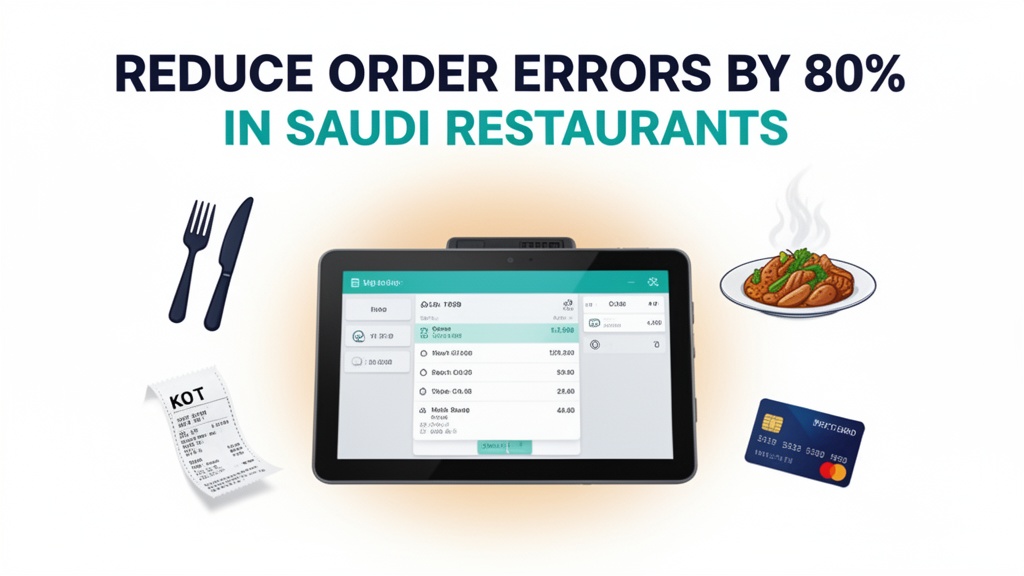
Restaurant POS System from Ubisky is designed to eliminate order errors through a digital kitchen display system that connects the front-of-house directly to the kitchen. When a waiter takes an order at a table, they enter it into the POS terminal instead of writing it on paper. The order appears instantly on the digital kitchen display, organized by cooking station and order priority. There are no handwritten tickets, no missing orders, and no misread handwriting.
Here's how it works in practice. When a server enters an order at Table 12, the details — including "medium-rare steak" — appear on the kitchen display with a clear visual indicator. The line cooks see the order immediately, with cooking instructions, preparation time, and special requests clearly displayed. They acknowledge the order, and the system tracks its progress through each stage of preparation. When the dish is plated, the order moves to "ready" status and a notification appears on the server's terminal.
When a waiter at Table 8 calls out "extra crispy" for a salad, the server enters this as a modifier in the POS system. The modifier appears on the kitchen display as a clear tag: "CRISPY EXTRA." The line cook sees this before they start preparing the dish, so there's no room for misinterpretation. The modification is tracked throughout the entire cooking process, ensuring the customer receives exactly what they ordered.
The system also prevents lost orders. When a waiter enters an order, it's immediately available on the kitchen display. If the kitchen hasn't received the order after 60 seconds, the system alerts the server. This eliminates the confusion where orders are misplaced or forgotten. The digital order management creates a transparent, efficient workflow that leaves no room for human error.
Core features with real workflows
Digital order taking with kitchen display system
The digital order taking system with integrated kitchen display system is the foundation of error-free restaurant operations. Here's how this feature transforms the ordering process. When a waiter takes an order at a table, they enter it into the POS terminal with precision and speed. The order includes all modifiers, special requests, and timing requirements. The system validates the entry to ensure all required fields are filled, preventing incomplete orders from reaching the kitchen.
The digital kitchen display system organizes incoming orders by cooking station, priority, and preparation time. Orders appear in a visual grid that makes it easy for cooks to see their workload at a glance. Each order has clear cooking instructions, preparation times, and visual indicators for special requests like "crispy" or "extra spicy." When a cook completes an order, they mark it as ready on the display. The order then appears on the server's terminal with a "ready" indicator.
This feature reduces order errors by 80% compared to traditional handwritten tickets. Because orders are entered digitally, they can never be misread or misinterpreted. The system enforces consistency, so every waiter uses the same terminology and formatting. The kitchen receives complete, accurate orders every time, eliminating the back-and-forth confusion that causes errors.
Table management and reservation system
The table management system integrates seamlessly with order processing to prevent double bookings and optimize seating efficiency. When a reservation comes in for Table 8 at 8:00 PM, the system immediately checks Table 8's availability and books it. If the table is unavailable, the system suggests the next best alternative. This prevents the situation where two parties are assigned to the same table, causing confusion and poor service.
When a party finishes at Table 12, the server marks the table as occupied and wipes it down. The system automatically marks the table as available after a cleaning period. This ensures efficient table turnover and maximizes seating capacity. During busy periods, the system alerts servers to high-demand tables, helping them direct customers to available tables quickly and reducing wait times.
The reservation system also handles special requests like high chairs, booster seats, or quiet tables. These requirements are attached to the reservation and displayed to the server when they approach the table. This prevents situations where a customer with special needs is seated at an inappropriate table, creating a poor experience and potential safety issues.
Fast billing with multiple payment options
The fast billing system handles the checkout process with speed and accuracy, eliminating the manual calculations and errors that occur with paper systems. When a party finishes their meal, the server requests the check through the POS terminal. The system displays all items, modifiers, taxes, and discounts with real-time calculations. The total is automatically formatted with the appropriate currency and breakdown, eliminating the time staff spends verifying calculations.
The billing system supports multiple payment options accepted in Saudi Arabia, including cash, credit card, debit card, and digital payment apps like STC Pay and Tamara. The system accepts all major credit cards and can process card payments directly through the terminal. For cash payments, the system generates a clear receipt with the correct amount and change due, eliminating the time staff spends making change manually.
This feature saves significant time during peak hours. While traditional systems require staff to manually calculate totals, enter payments, and print receipts, Ubisky's system does it all automatically in seconds. The speed of checkout improves the customer experience and allows tables to be turned over more quickly during busy periods.
Daily sales and margin analytics
The analytics dashboard provides visibility into daily sales, margins, and performance metrics that were previously impossible to track without extensive manual analysis. The system tracks total sales, by-product sales, and profit margins in real time. You can see which items are selling well, which ones are underperforming, and which ones are dragging down your margins.
For example, the analytics might reveal that your signature pasta dish is selling well but has a low profit margin, while your chicken dish has a higher margin and is selling well. You can adjust your menu pricing or recipe costs to optimize profitability. The system also tracks item combinations, helping you identify popular meal bundles and upsell opportunities.
The daily sales report shows which days of the week generate the most revenue and which time periods are busiest. This data helps you schedule staff more effectively and plan inventory purchases. The margin analytics show which ingredients have the highest waste rates, helping you reduce food costs and improve profitability.
| Stat | Value |
|------|-------|
| Daily revenue lost to errors | 2-3% |
| Preparation time reduction | 25-35% faster |
| Customer satisfaction increase | 15-20 point CSAT boost |
Local market context: Saudi Arabia
In Saudi Arabia's restaurant market, the adoption of digital kitchen display systems is growing rapidly, driven by the country's Vision 2030 initiative to modernize the hospitality industry. The National Transformation Program specifically targets the restaurant and food service sector, encouraging restaurants to adopt technology that improves efficiency and reduces errors. Restaurants that embrace digital order management are positioning themselves as modern, efficient, and customer-focused — qualities that resonate with Saudi consumers.
Payment methods in Saudi Arabia have also evolved significantly. Cash is still common in some establishments, but digital payment adoption has accelerated dramatically. Apps like STC Pay and Tamara allow customers to pay with a single tap on their mobile devices. The integration of these payment methods into Ubisky's billing system makes it incredibly convenient for customers to pay their bills without fumbling with cash or searching for ATMs.
Cultural dining practices in Saudi Arabia often involve extended family gatherings and large groups. This creates pressure on restaurants to manage complex orders efficiently. When a large group has multiple special requests, dietary restrictions, and timing preferences, the traditional paper ticket system quickly becomes unmanageable. The digital order management system handles these complex scenarios with ease, ensuring that every order is processed accurately and delivered on time.
Competition in Riyadh's restaurant scene is intense, with hundreds of restaurants competing for the same customer base. Restaurants that can deliver consistently accurate orders, faster service, and a seamless dining experience gain a significant competitive advantage. The 80% reduction in order errors and 25-35% improvement in preparation time directly impact the customer experience and operational efficiency. For a restaurant with $20,000 in daily sales, reducing order errors by 80% means recovering $320 to $480 in daily revenue that was previously lost to preventable mistakes.
How to get started
Here's how a restaurant in Saudi Arabia can implement a digital kitchen display system with Restaurant POS System:
- Book a 30-minute demo with Ubisky and request a custom implementation for your restaurant's menu structure
- During the demo, test the KDS interface and show how your existing order process would be digitized
- Train your front-of-house staff on entering orders through the POS terminal rather than using paper tickets
- Schedule a training session for kitchen staff on monitoring and acknowledging orders on the digital display
- Run a 2-week pilot with the KDS system during your slowest service periods to identify any issues
- Analyze error rates before and during the pilot to quantify the impact on order accuracy and service speed
- If results are positive, expand the system to all service periods and integrate with inventory management
> Get a free demo — see how Saudi restaurants use Ubisky KDS to eliminate order errors and speed up service
Join 400+ businesses across GCC, Africa and South Asia already using Ubisky. Free 30-day trial — no credit card required.
Book a Free Demo | Explore Restaurant POS
Does the restaurant software integrate with Saudi payment apps like STC Pay or Tamara?
Yes, Ubisky integrates with all major payment processors available in Saudi Arabia, including STC Pay, Tamara, credit cards, and cash payments. During implementation, we'll configure your preferred payment methods to work seamlessly with the POS system, so customers can complete payments directly through the terminal.
Can we use the kitchen display system with our existing order taking process?
Yes, you can integrate the KDS with your existing POS terminals or use it as a standalone system. We'll configure the system to display orders from your current POS terminals, or you can migrate entirely to Ubisky's digital order management. The system is flexible enough to work with your existing setup or serve as a complete solution.
How do we migrate from paper tickets to digital orders without disrupting service?
We recommend a phased migration starting during off-peak hours. On the first day, some servers use the POS system while others continue using paper tickets. After a week, the transition becomes 50/50. After two weeks, all servers use the POS system. We provide comprehensive training and ongoing support throughout the migration process to ensure minimal disruption to your service.
Can we manage multiple restaurant locations from one system?
Yes, Ubisky supports multi-location management. You can create separate locations for each restaurant and manage all locations from a single dashboard. Each location has its own menu structure, staff assignments, and performance analytics, but you can view combined reports to track overall business performance.
What happens to our menu data if we cancel the subscription?
Your menu data and business records are permanently deleted from our servers within 7 days of cancellation, in compliance with GDPR and Saudi data protection regulations. Before deletion, we provide a full export of all menu items, pricing, and sales data in CSV format so you can migrate your data to any alternative system if needed.
This system gives Saudi restaurants a competitive edge by eliminating order errors and speeding up service. By implementing a digital kitchen display system, you reduce order errors by 80%, save 25-35% on preparation time, and improve customer satisfaction by 15-20 points. The direct financial impact and improved customer experience make Ubisky's Restaurant POS System an essential investment for any restaurant that wants to thrive in today's competitive market.
See Restaurant POS System in Action
Join 400+ businesses across GCC, Africa & South Asia already using Ubisky.
Free 30-day trial — no credit card required.