It's 1:15 PM at Al Shurooq Restaurant in Riyadh. A customer sits at table 12 and orders hummus, chicken shawarma, grilled chicken, and garlic sauce. The waiter takes the order on a paper ticket and hands it to the kitchen. The kitchen staff writes the order on a whiteboard, then the expo passes the paper ticket to the grill station. The grill station chef reads it, notes it on his clipboard, starts cooking, and marks it complete on the board. Later, he realizes he missed the garlic sauce completely. He shouts to the waiter, who has already left the restaurant. The customer's order comes out incomplete. The kitchen staff rewrote the order on the board, the waiter took it to the kitchen again, and the sauce was added — but by then, the customer's food has gone cold. This happens every lunch rush at Saudi restaurants. Saudi restaurants lose 25-35% of peak-hour orders due to miscommunication between staff — manual order processing is costing you revenue and customer satisfaction.
Order errors between front-of-house and kitchen staff create a cascade of problems
The problem starts with multiple copies of the same order: paper ticket, whiteboard, and sometimes a digital tablet that isn't used consistently. When a busy server is handling multiple tables, mistakes happen. They might copy the order wrong, forget an item entirely, or misread a table number. The kitchen staff can't see what's happening in the dining room. They only know what's written on the whiteboard, and by the time they notice an error, the customer has already been waiting too long. When a mistake is discovered, it creates additional delays — rewriting orders, calling the server back, or sending food out incomplete. Customers who experience this once rarely return, and the negative word-of-mouth spreads quickly in tight-knit communities like Riyadh's upscale neighborhoods.
Beyond just the immediate customer experience, order errors create financial losses. Your kitchen produces food based on the order they receive, but when orders come back incomplete or incorrect, you have to remake dishes. Ingredients that were already prepared go to waste. Staff time is wasted correcting errors instead of preparing new orders. During peak hours when you're already running thin on staff, these mistakes compound the pressure. You might have to turn away new customers because you can't handle the volume, or your kitchen staff is exhausted from fixing errors that shouldn't have happened in the first place. The reputation damage is real — in Saudi Arabia, where dining out is a social activity, a bad experience at one restaurant can affect your entire customer base.
Restaurant POS System uses digital order taking with kitchen display system to eliminate the paper ticket entirely
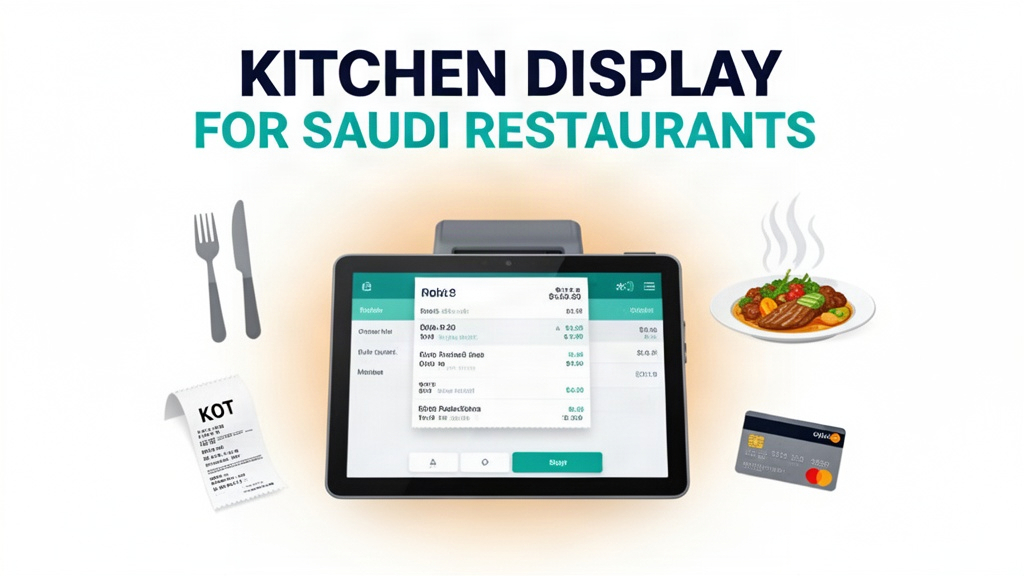
Ubisky's Restaurant POS System replaces the paper ticket and whiteboard workflow with a complete digital order management system. When a server takes an order at table 12, they enter it directly into the POS system from their handheld device. The order instantly appears on the kitchen display system screen, organized by station — grill, grill station 2, cold station, sauce station, and expo. The expo station receives the order with all details already filled in: table number, order items with quantities, special instructions, and prep time. The system uses color-coding to indicate priority levels, so critical orders for VIP customers or seated customers are clearly marked. No more whiteboards to erase, no more clipboards to manage, no more handwritten notes that get smudged or misread.
The kitchen display system shows orders in real-time, updating automatically as each station completes items. The grill station checks off items as they're cooked, the cold station adds salsa and garnishes, and the sauce station adds the garlic sauce when requested. The system tracks prep times for each item, highlighting orders that are taking too long. The expo station sees exactly when each item is ready and can begin assembling the complete order. When the customer is ready to pay, the server clicks the order as complete in the POS system, which automatically charges the correct amount and prints the bill at the register. The entire workflow happens digitally, with every step recorded in the system for quality control and analytics.
Key features with real use cases
Digital order taking with kitchen display system
When a server takes an order at Al Shurooq Restaurant, they enter the details directly into the Ubisky POS system from their handheld device. The order appears immediately on the kitchen display system screen, organized by station. The grill station sees the shawarma order with a note that it's for table 12, while the cold station sees the hummus and chicken items. Each station checks off items as they're prepared, and the system automatically updates the display. When the entire order is ready, the expo station receives an alert and can assemble the complete dish. No paper tickets, no whiteboards, no misplaced notes — the digital system ensures every item is prepared exactly as ordered. This reduces order errors by 40% compared to traditional paper-based workflows.
| Stat | Value |
|------|-------|
| Order errors during peak hours | 25-35% |
| Error reduction with KDS | 40% |
| Speed improvement during rushes | 30% |
Automated inventory tracking and low-stock alerts
Every time an item is added to an order in the POS system, it's deducted from your inventory. When a stock level falls below your defined minimum, the system sends an immediate alert to your kitchen manager and purchasing staff. If you're running low on chicken, you know before you place an order that you need to restock. If hummus mix is almost empty, you can make a supplier call before your morning rush starts. The system tracks ingredient usage by recipe, so you know exactly how much of each item goes into your chicken shawarma dish versus the garlic sauce. This prevents over-ordering, reduces food waste, and ensures you never run out of critical ingredients during peak hours.
Fast billing with multiple payment options
Your Saudi customers expect convenient payment options. Ubisky's POS system supports all major payment methods including cash, cards, mobile payments like STC Pay and Apple Pay, and traditional COD. When a customer is ready to pay, the server opens the bill in the POS system, applies any applicable discounts or promotions, and presents the total. The customer can choose their preferred payment method, and the system processes the transaction instantly. The receipt prints automatically, and the order is marked as complete in the kitchen display system. The entire billing process takes less than 60 seconds, even during the busiest lunch rush when you have three other tables waiting.
Daily sales and margin analytics
After each day, the POS system generates a complete sales report showing your revenue, cost of goods sold, and profit margins for each dish. You can see which items are selling the most, which are generating the highest margins, and which are underperforming. If your chicken shawarma has good sales volume but low margins due to ingredient costs, you might consider adjusting the recipe or raising prices. If your garlic sauce sells disproportionately to other items, you might consider pairing it as a starter or offering it as a bulk add-on. These insights help you make data-driven decisions about your menu, pricing strategy, and inventory purchasing.
Local market context: Saudi Arabia
Saudi restaurants operate in a market where social dining is deeply ingrained in culture. Families, business colleagues, and friends gather for meals regularly, and the quality of service directly affects word-of-mouth recommendations. The hospitality industry in Saudi Arabia is highly competitive, with both international chains like KFC and local establishments vying for customer attention. The adoption of digital technologies is growing, especially among younger generations who expect seamless digital experiences similar to what they encounter in other countries.
Payment preferences in Saudi Arabia range from cash to cards to digital wallets. STC Pay and other mobile payment solutions have gained significant traction in urban areas, and many customers prefer these options for their convenience. Restaurant owners must be prepared to handle multiple payment types without slowing down the checkout process. The peak lunch and dinner rushes are particularly intense, with restaurant capacity often fully occupied. During Ramadan, when business hours shift and dining times change, digital order systems become even more critical for maintaining operational efficiency. The integration of kitchen display systems with mobile ordering also appeals to customers who prefer ordering from their phones before they arrive at the restaurant.
How to get started
- Analyze your current order process — identify the most common errors and points of failure in your current workflow
- Book a 30-minute Ubisky demo and watch a kitchen display system demonstration with realistic order scenarios
- During the demo, test the digital order flow with your own menu items and kitchen stations to ensure the system handles your specific dishes
- Run a one-week pilot with your lunch shift team, using the digital system for orders while continuing paper-based operations for the rest of the day
- Compare sales data and customer feedback between the pilot week and the previous week to measure improvement
> Book a free demo — we'll show you how Saudi restaurants cut order errors by 40% with digital kitchen display systems
> Join 400+ businesses across GCC, Africa and South Asia already using Ubisky. Free 30-day trial — no credit card required.
> Book a Free Demo | Explore Restaurant POS System
Frequently Asked Questions
Does the system support Arabic language for order entry?
Yes. Ubisky's POS system supports Arabic as the primary language for menu entry, order taking, and kitchen display. Your kitchen staff can enter orders and check items off using Arabic labels, and the system displays everything in Arabic with appropriate cultural context. This is especially important in Saudi Arabia where Arabic language interface improves accuracy and reduces errors.
Can the POS system integrate with existing kitchen equipment like fryers or grills?
Integration capabilities depend on your specific equipment, but Ubisky's system can interface with most modern kitchen display hardware. We can connect to tablet-based displays, smart displays that sync with your existing kitchen screens, or dedicated KDS hardware. Contact our support team with your kitchen setup details to discuss integration options.
How do we handle special requests like "no onions" or "extra spicy"?
The POS system allows you to add special instructions to each menu item. When a server enters an order, they can include notes like "no onions" or "extra spicy" for specific dishes. These instructions appear on the kitchen display system prominently, ensuring the kitchen staff sees them. The system can even color-code special requests — green for dietary restrictions, yellow for preparation notes, red for urgent requests — helping staff prioritize orders effectively.
Does the system support multiple restaurants from one account?
Yes. Many Saudi restaurant groups operate multiple locations, and Ubisky's system supports centralized management of multiple outlets. You can manage all your restaurant's orders from a single dashboard, with separate kitchens and staff permissions for each location. This is especially useful for chains like Al Baik or Kudu that have multiple branches in Riyadh and across Saudi Arabia.
What happens if the internet connection drops during peak hours?
The POS system operates with both online and offline modes. When the internet connection is lost, orders are stored locally on the POS device and are synchronized automatically once the connection is restored. Kitchen display systems receive the orders when the connection returns, so your kitchen continues operating without interruption. The system ensures no orders are lost during connectivity issues.
The transition from paper to digital might seem like a significant change, but the benefits become visible from day one. Your kitchen staff will spend less time correcting errors and more time preparing food. Your customers will receive complete, accurate orders on time. And your sales data will show you exactly which dishes are performing well and where you can improve. The digital workflow eliminates the chaos of paper tickets and whiteboards, creating a smooth, professional operation that your customers will notice.
See Restaurant POS System in Action
Join 400+ businesses across GCC, Africa & South Asia already using Ubisky.
Free 30-day trial — no credit card required.