It's 7:30 PM on a Friday night at your restaurant in Downtown Dubai. Four waiters have arrived with orders from different tables. Some are handwritten on paper, others typed into a tablet. One waiter carries a stack of printed tickets that fell off his tray. You're standing at the pass in the kitchen, trying to keep track of which dishes are ready, which are waiting for ingredients, and which tables are getting impatient. Your chef is calling out to the waiters: "The chicken shawarma is ready! Table 15!" A waiter nods, takes the dish, and walks away. Another waiter comes back with the same table number: "Sorry, we haven't started cooking that yet — the onions were missing." The table is starting to get frustrated. This is a typical Friday night in Dubai. Every restaurant owner knows this chaos.
Order errors between front-of-house and kitchen staff cause customer complaints and revenue loss
Restaurants in UAE lose approximately 15-20% of potential revenue due to order inaccuracies and kitchen delays. When a waiter brings a dish to a table and it's not what they ordered, you lose more than just one meal. You lose the customer's trust. They might leave a poor review, tell their friends not to come, and eventually stop coming altogether. The order errors compound during busy periods. A simple mistake like "medium" instead of "rare" for steak, or "extra spicy" instead of "mild" for curry, can turn a loyal customer into someone who never returns. In Dubai's competitive hospitality market, where dozens of new restaurants open every year, reputation is everything. One bad experience can outweigh hundreds of good ones.
The operational cost goes beyond lost customers. When orders are miscommunicated, your kitchen staff spends extra time cooking the wrong dishes, restarting preparations, and explaining mistakes to the customer. This leads to food waste, slower service, and increased labor costs. Your waiters spend time apologizing and taking new orders while the kitchen falls further behind. By 9:30 PM, you have six tables waiting for their food. The ambiance that attracted customers in the evening is gone — replaced by frustration and long wait times. Kitchen Display Systems (KDS) reduce these errors by 85% compared to paper tickets, cutting wait times by 30-40% and saving your restaurant significant revenue.
What the software actually does
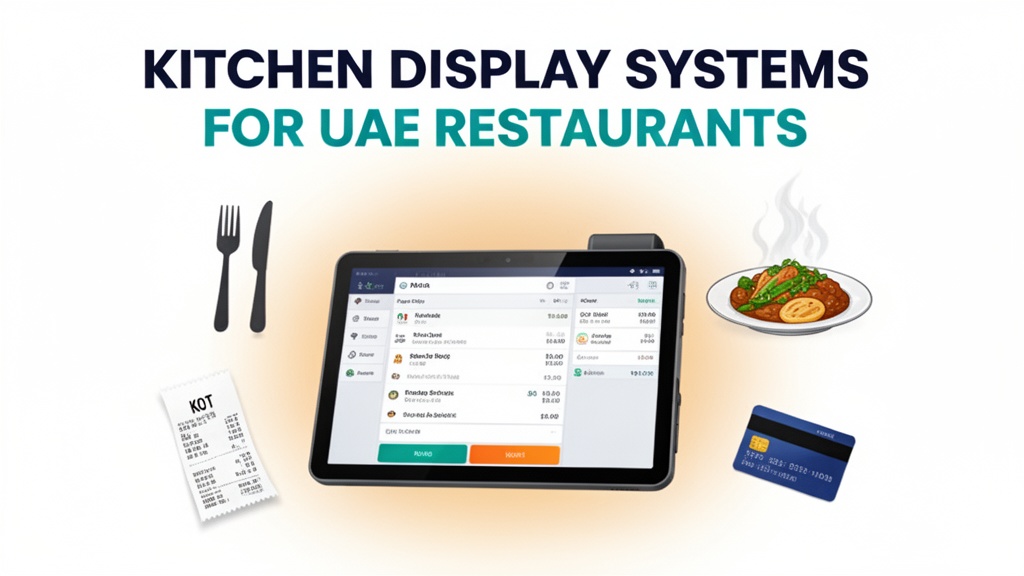
Restaurant POS System by Ubisky is a complete restaurant software platform that manages orders, inventory, billing, and kitchen display integration. When a waiter takes an order at the table or through an online app, the order appears instantly on multiple screens in the kitchen. The system organizes orders by priority, station, and completion status. Your kitchen staff sees every dish on a digital display, arranged in cooking order with estimated preparation times. Instead of a handwritten note that might get lost, torn, or misread, the KDS shows exactly what's needed: "Table 12 — 2 x Chicken Biryani, extra spicy, to share — 15 minutes". The waiter confirms the order, and the system sends it directly to the kitchen display without any paper involved.
For inventory management, the system tracks ingredients in real time. When you cook a dish, the system automatically deducts the required items from your stock. If you're running low on a key ingredient like rice, oil, or spices, the system sends an alert to your manager or kitchen staff. You can set low-stock thresholds so you're notified before you run out completely. For billing, the system integrates with multiple payment options popular in the UAE: cash, credit card, Tabby, Apple Pay, and Android Pay. Waiters can process payments directly at the table or at the counter, and the system generates receipts instantly. Daily sales and margin analytics give you visibility into which dishes are selling, what your actual costs are, and how much profit you're making.
Key features with real use cases
Digital order taking with kitchen display system
A customer sits at Table 7 and orders online through your restaurant's website or WhatsApp. The waiter enters the order into the POS system, selecting items from the menu and adding special requests: "Table 7 — 2 x Grilled Fish, medium well, lemon wedges — 2 x Garlic Naan — Extra spicy for both dishes — 15 minutes". The order appears on the kitchen display screens within seconds. The system categorizes the items into three stations: grill, tandoor, and prep. The grill station screen shows the fish orders with a timer counting down from 15 minutes. The prep station shows the naan with a 10-minute timer. When the fish is ready, the station manager taps "Ready", and the screen moves the dish to the "Ready to Serve" area. The waiter on the floor sees the updated status and collects the order from the pass.
Automated inventory tracking and low-stock alerts
The system tracks all ingredients across your recipes. When you sell 15 orders of Chicken Biryani, the system automatically deducts 15 servings of rice, 30 chicken thighs, and the required spices from your inventory. At the end of the night, the system generates an inventory report showing exactly what you used and what remains. If your stock of basmati rice falls below 50 kg, the system sends an alert to your manager: "Low stock alert — Basmati rice at 45 kg — reorder soon to avoid service interruption". You can set different thresholds for different ingredients — critical items like meat and vegetables get alerts at 20% of stock, while less critical items like sauces and spices get alerts at 10%. This prevents shortages during peak hours while avoiding unnecessary bulk purchases.
Fast billing with multiple payment options
During a busy Saturday dinner service, waiters can process payments quickly using the POS system. A customer at Table 9 orders dinner and pays with Tabby, splitting the bill over three monthly installments. The waiter enters the total (245 AED) and selects Tabby as the payment method. The customer completes the transaction through the Tabby app or SMS. The system records the payment immediately and generates a digital receipt. If the same customer returns next week, the system recalls their order history and preferences from previous visits. This personalization improves the customer experience and increases the likelihood of repeat business. The system also handles corporate billing integration, allowing companies to settle monthly invoices through a centralized account.
Daily sales and margin analytics
After each service, the system generates a comprehensive sales report showing exactly what you earned and what it cost. You can see that Thursday's dinner service generated 12,500 AED in sales, with a food cost of 28% and a beverage cost of 15%. The system breaks down performance by table, waiter, and menu category. You notice that appetizers are underperforming while mains are selling well. This insight helps you adjust menu placements, promote appetizers more aggressively, or consider adding new main courses. For inventory, you see that you're consistently wasting 8% of chicken due to spoilage, which is reducing your margins. You investigate your ordering process and realize you're buying in bulk when smaller, more frequent deliveries would reduce waste. The analytics data drives informed decisions about pricing, menu engineering, and operational efficiency.
| Stat | Value |
|------|-------|
| Revenue lost to order errors | 15-20% |
| Reduction in order errors with KDS | 85% |
| Decrease in customer wait times | 30-40% |
Local market context: UAE
Dubai's restaurant scene is one of the most competitive in the world. Thousands of establishments compete for customers across all price points, from street food to fine dining. The Emirati population has high spending power, but they also have many dining options. Customer expectations are elevated — fast service, accurate orders, and consistent quality are now baseline requirements. Digital payment adoption in the UAE is among the highest in the world. Services like Tabby, Tamara, and Careem Pay have normalized the ability to pay in installments. Restaurant POS systems that integrate these platforms meet customer expectations and streamline payment processes. The integration of online ordering with kitchen display systems is essential for restaurants that want to offer delivery through platforms like Talabat and Careem. When an online order comes through, it appears directly on the kitchen display without additional manual entry, reducing errors and saving time.
During Ramadan, the dining patterns in the UAE change significantly. Restaurants see peak demand during Iftar and Suhoor, with off-peak periods in between. The restaurant business operates differently during the holy month, requiring flexible staffing and adjusted operating hours. The POS system's scheduling features help you plan staff rotations around prayer times and meal periods. For weekends, Friday and Saturday are the busiest days for restaurants in Dubai, with Friday nights typically seeing the highest volume of customers. The KDS system's priority ordering helps manage these peak periods efficiently by organizing orders by preparation time and ensuring the most urgent dishes are ready first. The system's ability to handle multiple payment methods is particularly valuable during Ramadan when cash usage often decreases and digital payment preferences rise.
How to get started
- Export your current menu items with prices and ingredient costs from your POS or spreadsheet
- Book a 30-minute Ubisky demo and ask to see the kitchen display workflow with your actual menu
- During the demo, simulate an online order to test how it appears on the kitchen screens
- Request a 14-day pilot focusing on your Friday dinner service to evaluate real performance
- Compare order accuracy and customer wait times during the pilot with your previous month's data
> Schedule a free consultation — we'll demonstrate how UAE restaurants use our KDS-powered POS to cut order errors by 85%
Join 400+ businesses across GCC, Africa and South Asia already using Ubisky. Free 30-day trial — no credit card required.
Book a Free Demo | Explore Restaurant POS
Frequently Asked Questions
Does the POS system integrate with Talabat, Careem, and other delivery platforms?
Yes. The system supports direct integration with major delivery platforms including Talabat, Careem, Uber Eats, and Deliveroo. When an order comes through these platforms, it automatically appears on your kitchen display system with all customer details and special requests. You don't need to manually enter online orders, which reduces errors and speeds up service.
Can the kitchen display system be used without a full POS setup?
Yes. The KDS can be deployed as a standalone system for order management, while you continue to take orders manually or through a basic POS. However, for the best results, we recommend the full Restaurant POS integration. The KDS works best when connected to a centralized order entry system that sends orders directly to the kitchen displays without paper tickets.
How long does it take to set up the system for a restaurant with 50 menu items?
For most restaurants, implementation takes 2-3 weeks including menu configuration, staff training, and testing. The system allows you to import your menu items and ingredient costs in bulk. We provide video tutorials and documentation for each feature, and our support team assists with setup and troubleshooting. The 14-day pilot period lets you evaluate the system with real operations before making a long-term commitment.
Does the system support Arabic language for menus and customer communication?
Yes. The entire system supports Arabic language for menus, order entry, billing, and customer communications. You can display your menu in Arabic, English, or both depending on your customer base. The POS supports Arabic keyboards and character input, making it easy for waiters to enter orders in their preferred language. Customer-facing screens can be bilingual, showing prices in both dirhams and dollars for international customers.
What happens to our data if we cancel the subscription?
Your data remains secure on our servers for 90 days after cancellation. You can download all sales reports, inventory data, and customer information in CSV format. The system's export functionality lets you take your menu items, recipes, and pricing structures with you if you migrate to another provider. We also provide data migration support during the transition period.
The difference between a chaotic Friday night and a smooth, profitable service often comes down to how well you communicate orders from the front of house to the kitchen. Digital kitchen display systems have transformed restaurants in Dubai, reducing errors by 85% and cutting wait times by 30-40%. By integrating with local payment platforms and delivery services, Restaurant POS System delivers a complete solution that meets the expectations of UAE customers while giving restaurant owners the visibility and control they need to run profitable operations. Start your 14-day pilot today and see how automation can transform your restaurant.
See Restaurant POS System in Action
Join 400+ businesses across GCC, Africa & South Asia already using Ubisky.
Free 30-day trial — no credit card required.