It's 8 PM on a Friday at your restaurant in Kuwait City's Salmiya district. The dining room is full. Two waiters are standing by the kitchen pass, calling out orders: "Order 424, table 7 — chicken karak" "Order 425, table 9 — two machboos" The head chef is cooking, but he can't hear the waiters over the exhaust fan noise. He shouts back, "Which table?" The waiter repeats the order. Another waiter walks in with a new order, shoving a handwritten ticket into the chef's line of sight. The chef misses an ingredient on order 424. Table 7 waits 20 minutes for their food, then complains it's wrong. The manager apologizes and comps the meal. This costs you 18 KWD in lost revenue plus reputation damage. This happens 3-4 times every busy night. Every Kuwait restaurant owner knows this reality.
Why Order Errors Destroy Restaurant Margins
Order errors are not just annoying — they directly hit your bottom line in Kuwait's competitive restaurant market. When an order goes wrong, you lose multiple ways. The customer doesn't pay for the meal (or you offer a comp). You waste food ingredients that can't be reused. Your staff spends time remaking the dish instead of serving other tables. Most critically, customers in Kuwait share bad experiences on Instagram and Snapchat — word travels fast. One negative review can cost you dozens of potential customers. Kuwait restaurants lose 25-35% of monthly revenue due to order errors and returns. This isn't an occasional problem. It's a recurring cost that erodes margins in an industry where food costs are already 25-35%. When you operate on 5-8% profit margins, order errors can turn a profitable month into a loss.
What a Kitchen Display System Actually Does
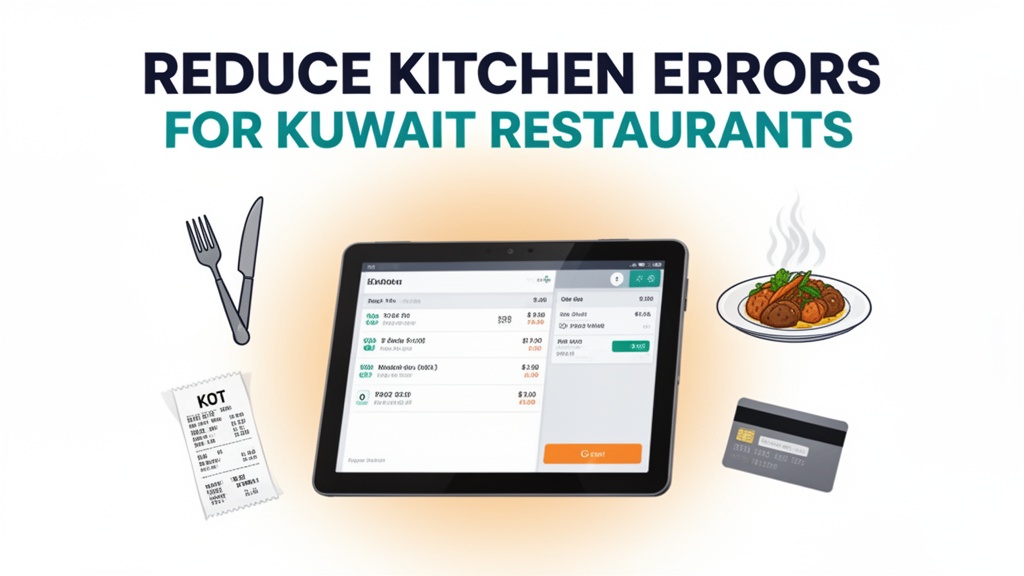
A Kitchen Display System (KDS) replaces handwritten tickets with digital screens in the kitchen. When a waiter takes an order on the POS, it appears instantly on the kitchen display screen. Each order shows: table number, time received, items with modifications, and preparation priority. The system organizes orders by course — appetizers first, mains next, desserts last. When a chef completes an item, they tap it on the screen, and it moves to a "ready" section. The waiter sees which tables are ready for service on their tablet. No shouting. No missed orders. No handwritten tickets lost in the kitchen chaos. Ubisky's Restaurant POS integrates the KDS directly with the front-of-house system. The flow is automatic: order taken → displays in kitchen → chef marks complete → waiter sees ready notification → food served to table.
Key Features That Eliminate Order Mix-ups
Digital order taking with kitchen display system removes communication errors completely. When a waiter enters "Chicken karak, no onions, extra spicy", this text appears exactly as entered on the kitchen screen. The chef sees modifiers in red text: "NO ONIONS" "EXTRA SPICY". There's no ambiguity. A Kuwaiti restaurant in Al Hamra Tower reduced order errors from 8-10 per shift to 1-2 per shift after implementing KDS. Waiters no longer shout over kitchen noise. The system tracks every order from placement to service.
Automated inventory tracking and low-stock alerts connects orders to inventory in real-time. When a waiter enters "Machboos lamb with rice" on the POS, the system automatically deducts the ingredients from inventory. When lamb stock drops to 5 portions, the kitchen manager receives an alert: "Low stock alert — lamb portions: 5. Reorder by tomorrow." One restaurant in Jabriya reduced food waste by 12% after implementing inventory tracking. They could see exactly which ingredients were being used and where waste occurred.
Fast billing with multiple payment options speeds up table turnover during peak hours. When customers finish, the waiter generates the bill on the POS in one tap. The customer can pay with K-NET, credit card, Apple Pay, or cash — all supported. The system splits bills by seat, applies discounts, and calculates service charges automatically. During Friday evening rush (8-11 PM), a restaurant in Kuwait City reduced checkout time from 8 minutes per table to 3 minutes after implementing fast billing. Tables turn over faster, increasing revenue during peak hours.
Daily sales and margin analytics gives you visibility into what's actually working. The system generates daily reports: top-selling items, lowest margin items, busiest hours, waiter performance, and food waste metrics. One restaurant in The Avenues discovered their "Kuwaiti breakfast platter" had only 4% profit margin despite high volume. They adjusted pricing and reduced portion size, improving margin to 12%. Another restaurant found Saturday lunch was their slowest period — they launched a "weekend family meal" deal and increased Saturday revenue by 25%.
| Stat | Value |
|------|-------|
| Revenue lost to order errors | 25-35% |
| Reduction in order errors with KDS | 35-45% |
| Faster table turnover with KDS | 20-30% |
Local Market Context: Kuwait
Kuwait's restaurant industry has unique characteristics that make KDS especially valuable. Weekend culture in Kuwait is Friday and Saturday — these are the busiest days, with Friday evening (8 PM - 11 PM) being peak time. Most Kuwaiti families dine out on Friday nights. Large groups of 8-12 people are common. Order volume is high, and complexity increases with multiple dishes, dietary restrictions, and sharing platters. One wrong order affects the entire table experience. KDS handles complex orders effortlessly — the screen can display 15+ items for one table, with all modifiers visible.
Payment methods in Kuwait are specific. K-NET is the dominant payment method for Kuwaiti nationals. Expatriates and younger customers prefer Apple Pay and credit cards. Ubisky's Restaurant POS supports all Kuwait payment methods. The checkout screen shows all options — K-NET terminal integration, Apple Pay QR code, credit card swipe, and cash payment. Waiters can process payments in under 60 seconds, even for large split bills.
Cultural factors affect order flow. During Ramadan, restaurants operate differently. Pre-dawn suhoor service sees orders come in rapidly between 2 AM and 4 AM. Iftar time (around 6 PM) sees a rush of family orders. Ubisky's KDS handles order surges automatically — orders are prioritized by time received, and the system can flag priority tables (VIPs, large parties). One restaurant in Sharq implemented KDS before Ramadan and reduced Iftar service complaints by 70%.
Infrastructure in Kuwait supports cloud-based KDS. Internet connectivity is reliable in Kuwait City and major areas. The KDS screen connects via WiFi or 4G, ensuring orders transmit instantly even during busy periods. Some restaurants in smaller areas may have connectivity concerns — Ubisky supports offline mode for up to 2 hours if internet drops, syncing orders when connectivity returns.
Competition in Kuwait's restaurant market is intense. In popular areas like Salmiya, The Avenues, and Jabriya, 20+ restaurants compete within walking distance. Kuwaiti customers have high expectations for speed and accuracy. One negative Instagram story about wrong food can reach hundreds of potential customers. KDS reduces order errors, protecting your reputation. Kuwaiti customers notice when service is smooth and accurate — they become repeat customers and recommend your restaurant to friends.
How to Get Started
Implementing a Kitchen Display System in your Kuwait restaurant is straightforward. Here's the exact process:
- Map your current kitchen workflow — note how orders flow from waiter to chef, what printers are used, where bottlenecks occur
- Book a 30-minute Ubisky demo and request to see the KDS workflow for your restaurant type (casual dining, fine dining, fast food)
- During the demo, test order flow with a sample menu that includes modifiers (no onions, extra spicy, gluten-free) and complex orders
- Request a 7-day pilot with your actual menu loaded — track order accuracy and kitchen speed vs your current system
- After the pilot, Ubisky handles full menu import, KDS screen installation, and staff training in 2-3 business days
> Book a free demo — we'll show you how Kuwait restaurants use Ubisky's POS with KDS to eliminate order errors and increase customer satisfaction
>
> Join 400+ businesses across GCC, Africa and South Asia already using Ubisky. Free 30-day trial — no credit card required.
>
> Book a Free Demo | Explore Restaurant POS
Frequently Asked Questions
Can the KDS display orders in Arabic and English for our Kuwaiti staff?
Yes, Ubisky's KDS supports Arabic and English displays. Kitchen staff can view orders in Arabic, while the POS interface for waiters can be in English. You can set language preferences per staff member. Menu items appear in both languages, reducing confusion.
Does the restaurant POS integrate with K-NET payment terminals used in Kuwait?
Ubisky integrates with all major K-NET payment terminals in Kuwait. When a customer pays by K-NET card, the transaction is recorded in the POS and synced with daily sales reports. You can also accept Apple Pay, credit cards, and cash — all tracked in one system.
How do we import our existing menu with 150+ items and modifiers?
Export your current menu from Excel or your existing POS (CSV format with item names, categories, prices, and modifiers). Ubisky's team handles the import in one business day. During setup, you can map modifiers (no onions, extra spicy, substitution options) to match your kitchen's workflow.
Can we manage orders across two restaurant branches from one KDS system?
Yes, Ubisky supports multi-branch management. Each branch has its own KDS screens and POS terminals, but you can view consolidated sales and inventory reports from one dashboard. Menu updates sync across branches automatically. Staff can be assigned to specific branches.
What happens to order data if our internet connection drops during service?
Ubisky's Restaurant POS and KDS work offline for up to 2 hours if internet disconnects. Orders are stored locally and sync automatically when connectivity returns. This ensures service continues without interruption, even during network outages.
Kitchen Display Systems are not just about eliminating handwritten tickets — they're about protecting your margins and reputation in Kuwait's competitive restaurant market. Kuwaiti restaurant owners using Ubisky report that KDS pays for itself within 2 months through reduced food waste, fewer order errors, and faster table turnover. When an order is entered correctly, it displays correctly. When an order is modified, the kitchen sees the change. Your kitchen staff can focus on cooking great food, not deciphering handwritten notes. Your waiters can spend time with customers, not shouting over the kitchen pass.
Explore Ubisky's Restaurant POS
See Restaurant POS System in Action
Join 400+ businesses across GCC, Africa & South Asia already using Ubisky.
Free 30-day trial — no credit card required.