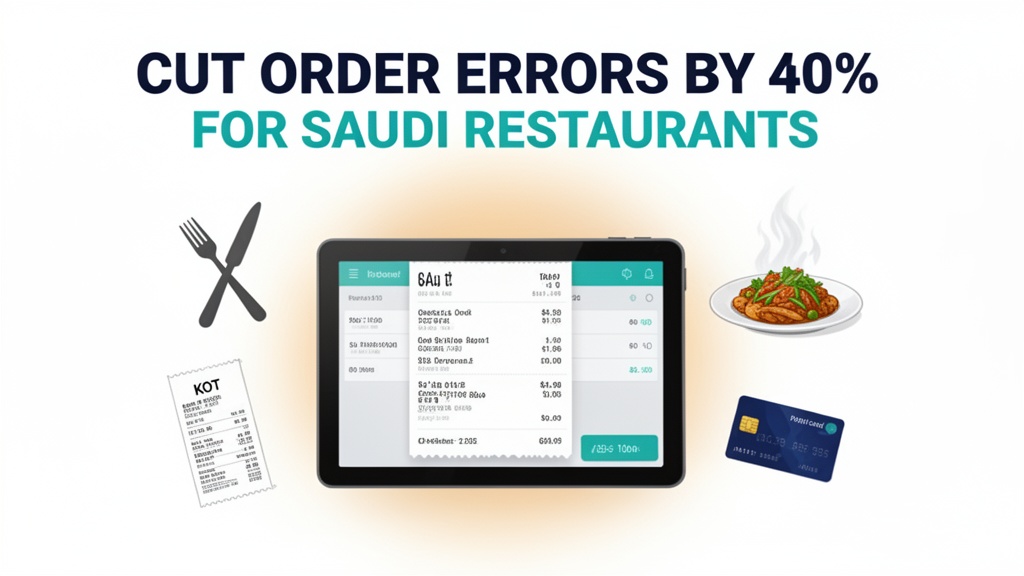
It's 8:30 PM on a Thursday in Riyadh. Your restaurant on Olaya Street is packed. Four waiters are taking orders simultaneously. At table 12, a family orders grilled chicken, hummus, and three mixed grills. The waiter scribbles on a notepad, tears off the slip, and rushes to the kitchen. The kitchen staff is already handling 15 orders. The paper ticket gets clipped to a rail behind the chef. Ten minutes later, the family asks about their hummus. The waiter checks the kitchen — the chef never saw that item on the ticket. Meanwhile, at table 8, another waiter is shouting that the lamb is supposed to be medium-rare, not well-done. The chef is frantically going through paper tickets, trying to match orders with tables. This is the nightly reality at restaurants across Saudi Arabia without digital order management. Orders get lost. Instructions get missed. Customers wait. Food goes cold. And your reputation takes a hit.
Why Paper Tickets Are Failing Saudi Restaurants
Paper ticket systems worked when restaurants were smaller and volumes were lower. Today, restaurants in Riyadh, Jeddah, and Dammam handle hundreds of orders during peak hours. Paper slips are easily lost, hard to read, and impossible to track in real-time. A waiter's handwriting might be illegible. A chef might misread "medium-rare" as "medium" or miss a dietary restriction entirely. When an order is wrong, there's no clear record of what was entered, by whom, and when. Disputes between front-of-house and kitchen staff are common. Customers complain about wait times and incorrect orders. The financial cost is measurable. Paper ticket orders have a 12-18% error rate compared to 3-5% with digital kitchen display systems. For a restaurant serving 200 orders daily, that's 18-36 mistakes per night with paper tickets versus 6-10 with a digital system. Each mistake means re-cooking food, comping meals, and losing customers who won't return.
What Ubisky Restaurant POS Actually Does
Ubisky Restaurant POS replaces paper tickets with a fully digital order management system. When a waiter takes an order on a tablet, they select each dish, specify modifications (no onions, extra spicy, gluten-free), and assign it to the correct table. The order is routed instantly to the kitchen display system — a screen in the kitchen that shows all active orders. Each order is clearly labeled with table number, time received, and preparation instructions. The chef marks items as "started," "ready," or "served" with a single tap. The waiter sees real-time status on their tablet. When food is ready, a notification alerts the appropriate waiter. There's no shouting, no lost tickets, no confusion. If a customer changes their mind after ordering, the waiter updates the tablet, and the kitchen sees the change immediately. The system tracks every modification, so there's a clear audit trail if disputes arise.
Key Features That Eliminate Order Errors
Digital order taking with kitchen display system — When a waiter enters an order, it appears on the kitchen screen within seconds. The display shows dishes grouped by course — appetizers first, then mains, then desserts. Each dish shows preparation notes: "Table 12: Mixed grill (well-done), no spicy sauce, extra hummus." The chef taps to start preparation, and the dish turns yellow on the screen. When ready, they tap again, and it turns green, notifying the waiter. If an order is urgent, the waiter can flag it as "VIP" or "rush," and it appears in red on the kitchen display. This visual clarity eliminates questions like "Which table ordered the lamb?" or "Did table 8 ask for no garlic?" Everything is visible, trackable, and actionable in real-time. Restaurants in Saudi Arabia report a 35-45% reduction in order errors after implementing kitchen display systems.
Fast billing with multiple payment options — When customers are ready to leave, the waiter generates the bill on the tablet and sends it to the table's screen or prints it. The bill shows exactly what was ordered, when it was ordered, and any modifications — so there's no dispute over charges. Customers can pay via Mada, STC Pay, Apple Pay, or card. If they're using a Saudi digital wallet like STC Pay, they scan a QR code on the tablet and complete payment instantly. The transaction is recorded in Ubisky, and the bill is marked as paid. No more waiting for the card machine. No more manual cash reconciliation at the end of the night. All payment data flows into your daily sales report automatically.
Table management and reservation system — Ubisky tracks which tables are occupied, reserved, or available. When customers arrive for a reservation, the host assigns their table on a floor plan display. The kitchen knows which orders belong to which tables. If a party moves from a booth to a table, the waiter reassigns the order, and the kitchen display updates accordingly. This prevents the common mistake where food goes to the wrong table because the server didn't communicate a seating change. Reservations are integrated with the POS — when a booking is made, the table is automatically blocked. No more double-bookings or seating mix-ups that frustrate customers.
Daily sales and margin analytics — At the end of each shift, Ubisky generates a sales report showing total revenue, average order value, and best-selling dishes. You can filter by server, table, or time period. If you notice that orders at table 4 consistently take longer than others, you might discover that it's too far from the kitchen and adjust your floor plan. If the mixed grill has a 15% return rate because customers find it too spicy, you can adjust the recipe or train the kitchen. Margin analytics show which dishes are most profitable and which are dragging down your bottom line. This data helps you optimize your menu for the Saudi market — perhaps adding more family-style platters if that's what sells, or phasing out low-margin items that rarely get ordered.
| Stat | Value |
|------|-------|
| Order error reduction with KDS | 40% |
| Paper ticket error rate | 15% |
| Kitchen time improvement | 20% |
Local Market Context: Saudi Arabia
Saudi Arabia's restaurant sector is undergoing rapid transformation. Cities like Riyadh, Jeddah, and Dammam have seen a surge in dining options, from fast-casual chains to fine dining establishments. Competition is intense, and customer expectations are high. Saudi diners are increasingly digital-native — they book tables via apps, order delivery, and expect fast, accurate service. A single order error can lead to a negative review on social media or delivery platforms, which can damage your reputation quickly. The cultural context matters too. Family dining is central to Saudi social life. Large groups order multiple dishes with specific dietary requirements — some family members might want halal-only options, others might have allergies, and children often need milder versions of adult dishes. Paper tickets struggle to capture this complexity. A digital system allows waiters to enter detailed notes for each dish: "Child's portion: Chicken nuggets (mild), no fries, extra fruit."
Payment behavior in Saudi Arabia is also evolving. Mada cards are ubiquitous. STC Pay and other digital wallets are widely used, especially among younger customers. Cash is still common, but contactless payments are growing rapidly. Ubisky integrates with local payment methods, so customers can pay the way they prefer. When the bill is generated on a tablet, customers can choose their payment method and complete it without waiting for staff. This speed matters during peak hours — a family with young children doesn't want to wait 20 minutes for the bill. Finally, Saudi regulations require clear VAT documentation. Ubisky auto-generates VAT-compliant receipts and stores transaction records, so your restaurant stays compliant without manual paperwork.
How to Get Started
- List your current menu items, prices, and any preparation notes or modifiers (spicy levels, dietary options)
- Book a Ubisky demo and request a live walkthrough of the kitchen display system with your chef
- During the demo, enter a sample order and watch it flow from tablet to kitchen screen to payment
- Sign up for a 10-day pilot and train 2-3 waiters and your head chef on the new workflow
- Track order error rates during the pilot week and compare them to your previous month's average
> See how Saudi restaurants use Ubisky POS to eliminate order errors and speed up service
>
> Join 400+ businesses across GCC, Africa and South Asia already using Ubisky. Free 30-day trial — no credit card required.
>
> Book a Free Demo | Explore Restaurant POS
Frequently Asked Questions
Does the kitchen display system work during internet outages in Saudi Arabia?
Ubisky's kitchen display system has an offline mode. If internet connectivity is lost, the system stores orders locally and syncs automatically when connection is restored. Kitchen staff can continue marking orders as prepared, and waiters can still view status. This ensures service continues uninterrupted even during brief outages.
Can Ubisky integrate with Mada and STC Pay for payments?
Yes. Ubisky integrates with Mada, STC Pay, Apple Pay, and major international card networks. Customers can choose their preferred payment method at checkout. The system records each transaction with the payment method, so you can analyze which options your customers use most and optimize your payment setup.
How do we train our staff, especially older employees who are less comfortable with tablets?
Ubisky provides training materials and onboarding support. The interface is designed to be intuitive — waiters enter orders by tapping menu items, which is faster than writing by hand. During implementation, we recommend starting with a small pilot team and having tech-savvy staff mentor others. Most users become comfortable within 2-3 shifts.
Can the POS handle Saudi family-style dining where dishes are shared among multiple people?
Yes. Ubisky supports split orders and shared dishes. When a family orders a mixed platter, the waiter can assign it to multiple seats or mark it as "shared." The bill can be split equally or by specific items. The kitchen display shows it as a single order, ensuring the platter is prepared correctly regardless of how the bill is divided.
What happens to our menu if we add seasonal dishes or change prices?
Menu updates in Ubisky are instant. When you add a seasonal dish or change a price, it reflects on all waiter tablets and the kitchen display immediately. You can also schedule price changes in advance — set a new price to take effect on a specific date, and the system handles it automatically. Historical orders retain the original price for accurate reporting.
For restaurants in Riyadh, Jeddah, and across Saudi Arabia, order errors aren't just annoying — they're expensive and avoidable. Paper ticket systems were designed for a different era of dining. Today's Saudi restaurants need digital order management that keeps pace with customer expectations and competitive pressure. Ubisky Restaurant POS replaces lost paper slips with a clear, real-time kitchen display system that shows every order, modification, and status. Waiters enter orders digitally. Chefs see them instantly. Customers get what they ordered. If your restaurant is still relying on handwritten tickets and shouted instructions, it's time to explore what digital order management can do for your service and your bottom line. Learn more about the Restaurant POS System.
See Restaurant POS System in Action
Join 400+ businesses across GCC, Africa & South Asia already using Ubisky.
Free 30-day trial — no credit card required.