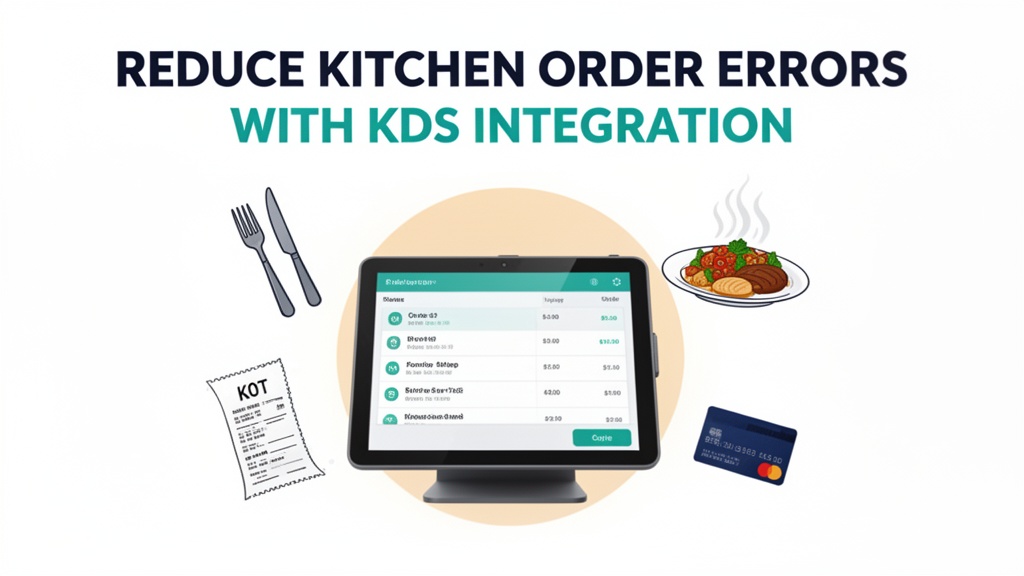
9:15 PM at Zahrat Al-Layl in Deira, Dubai. The restaurant is packed — 18 covers at tables, two waiters taking orders, and the head waiter walking back and forth from the front desk to the kitchen. He's carrying a paper ticket for order #47, but the kitchen staff is already arguing about what the customer actually ordered. "He said no onions," the chef shouts from the pass. "But the ticket says 'with onions'." The waiter checks his memory: "I think he said no onions." The manager steps in, pulls out a pen, writes "NO ONIONS" in large letters on the paper ticket, and hands it back to the kitchen. Meanwhile, another waiter brings a new ticket for order #48 that's already wrinkled and stained with sauce. The kitchen is chaotic, the waiters are frustrated, and the table is getting impatient. This is dinner service on a Friday night in Dubai.
The daily reality of order errors
Order errors between front-of-house and kitchen staff cost restaurants in Dubai millions of dirhams annually. Restaurants using Kitchen Display Systems report 40-60% fewer order errors compared to paper ticket systems. That reduction directly translates to faster service, happier customers, and less food waste. But the cost isn't just financial — it's operational chaos. When a waiter brings a ticket to the kitchen that's ambiguous, the kitchen staff has to make assumptions. When those assumptions are wrong, the customer receives a dish they didn't order, gets angry, and may never return. Meanwhile, the waiter looks incompetent, the kitchen staff feels disrespected, and your team is stressed and behind schedule.
The root cause is the paper ticket workflow. The waiter takes the order at the table, scribbles it on a piece of paper, and hands it to the kitchen. The ticket moves through multiple hands: front desk, kitchen staff who collect orders, chefs who check them, pass attendants who prepare them. Each hand-off introduces opportunity for error. The waiter might write "spicy" and the kitchen interprets it as "extra spicy" or the opposite. The ticket might get smudged or torn. The kitchen might be busy and miss that "no onions" was crossed out. When the server comes back to the kitchen to ask about the order, the chef is already focused on another ticket, and the whole flow breaks down. By the time the customer's food arrives, the quality has degraded, the service speed has slowed, and everyone is frustrated.
What the software actually does
Ubisky Restaurant POS System connects your front-of-house order entry directly to kitchen displays. When a waiter enters an order at the table or via your online ordering system, it appears instantly on digital screens in the kitchen. Each order is displayed as a digital ticket with all details clearly visible: table number, customer name, special requests, item descriptions, and priority levels. The kitchen staff sees the order on their dedicated display screens, they mark each item as prepared as it's completed, and the system sends notifications to the front-of-house when dishes are ready for service.
The system eliminates the physical paper ticket entirely. The workflow becomes digital from start to finish: order entry → kitchen display → preparation → completion notification → service. No hand-offs, no physical transfer of paper, no smudged tickets, no lost orders. The front desk can view real-time status of every order: which items are prepared, which are waiting for ingredients, and which have been completed and are ready for pickup. The pass attendant knows exactly what's coming next, and the waiters know when their tables will be served.
How digital order taking with KDS works in practice
Let me walk through what happens in a real Dubai restaurant using Ubisky:
Scenario 1 — Order entry from table:
Amir at Zahrat Al-Layl takes an order at table #23: 3 large grills, 1 appetizer sampler, 2 soft drinks, and "no spicy for the kids." The order appears instantly on kitchen digital screens with special requests flagged clearly.
Scenario 2 — Kitchen processing:
The head chef sees the order, starts preparing the appetizer, then moves to grills. As each item completes, the chef marks it on the digital ticket. The system updates front-of-house display: "Appetizer — Ready in 5 minutes, Grills — Ready in 12 minutes." Pass attendant, waiters, and kitchen see exactly what's been completed.
Scenario 3 — Ambiguity resolution:
Order #45 includes "spicy chicken" but kitchen is uncertain about spice level. The waiter has left the kitchen area. Ubisky sends a notification to the waiter's device: "Order #45 needs clarification: medium or extra spicy?" Waiter replies "extra spicy," and the kitchen display updates instantly. No verbal arguments or missed communication.
Scenario 4 — Priority management:
During peak service, the system prioritizes orders based on table turnover rates. Larger groups and rush tables get higher priority, smaller orders at quieter tables are scheduled when kitchen capacity allows. The digital display shows a visual queue, so the kitchen knows exactly how many orders are ahead and estimated completion times.
Scenario 5 — Special requests:
Waiters select special requests like "no onions" from predefined options on the digital order form instead of writing on paper tickets that might get smudged. The kitchen screen shows these clearly as sub-options, and the system prevents accidental modification. Substitutions are selected from predefined options, giving kitchen exact specifications without ambiguity.
| Stat | Value |
|------|-------|
| Reduction in order errors | 40-60% |
| Kitchen prep time reduction | 15-20% |
| Daily digital transactions in Dubai | 10,000+ |
Key features that actually improve kitchen efficiency
- Digital order taking with kitchen display system
Orders are entered digitally, displayed instantly on kitchen screens, and tracked in real-time. No physical tickets means no smudged, torn, or lost information. Every special request, modification, and preference is captured exactly as entered. Kitchen staff see each order as it arrives, prepare it according to specifications, and mark completion instantly.
- Automated inventory tracking and low-stock alerts
Ubisky checks inventory levels in real-time before orders are entered. When key ingredients run low, the system alerts staff so you can replenish before service is affected. Set thresholds (50 units of chicken, 20 bottles of hot sauce) and receive notifications when stock drops below those levels. This prevents "out of stock" situations and integrates with ordering systems for automated or manual restocking.
- Fast billing with multiple payment options
Ubisky supports cash, Visa, Mastercard, debit cards, UAE mobile payments, and delivery platform integration (Talabat, Careem). Customers pay via QR code on their phone or digital presentation at the table. The system processes payments quickly, generates receipts automatically, and tracks all payment types in real-time. Local payment integration means customers pay their preferred way, reducing administrative overhead.
- Daily sales and margin analytics
After each day, Ubisky generates reports showing total sales, margin per item, top-performing dishes, and areas for improvement. See which items generate most revenue and have highest margins. Analyze sales by time of day, day of week, table size, and customer demographic to optimize menu, pricing, and service schedules. For example, if steak orders are consistently delayed during peak hours, adjust workflow to prioritize steak preparation.
Local market context: UAE
Dubai's restaurant industry is one of the most competitive hospitality markets in the world. With over 3,000 restaurants and cafes across the emirate, attracting and retaining customers requires operational excellence. During peak hours — typically 12:00 PM to 2:00 PM for lunch and 7:00 PM to 10:30 PM for dinner — service speed and accuracy become critical differentiators. The average service time for a full meal at a Dubai restaurant is 45-60 minutes, and any delay beyond that reduces customer satisfaction significantly.
Payment infrastructure in the UAE is advanced, with high adoption of digital payments and international card acceptance. However, Dubai's customers increasingly expect instant, seamless payment options. QR code payments, NFC tap-to-pay, and mobile wallet integration are becoming industry standards. Restaurant POS systems that support these payment methods and integrate with local delivery platforms give restaurants a competitive advantage in both dine-in and delivery markets.
The restaurant industry in Dubai processes over 10,000 digital transactions daily across all platforms. Digital ordering is growing rapidly, with a significant portion of orders now coming from online platforms, third-party delivery apps, and social media-based ordering systems. Restaurants that integrate Ubisky with their online ordering channels can handle digital orders seamlessly alongside table service, with a single unified system that manages both channels. This integration reduces operational complexity and ensures a consistent customer experience regardless of how the order is placed.
How to get started
- Audit your current order workflow. Walk through a typical dinner service and identify every point where errors occur. Do tickets get lost? Do special requests get misunderstood? Do kitchen staff have to ask the front-of-house for clarification? Do waiters carry multiple tickets at once? This audit will reveal exactly what needs to improve, and Ubisky's features will address each pain point.
- Book a 30-minute Ubisky demo and request a live walkthrough of the kitchen display system. Ask to see how orders appear on the screen, how special requests are captured, and how the system communicates with the front-of-house. Most restaurants complete basic setup of the KDS integration in under 6 hours of configuration.
- During the demo, test the online ordering integration by placing a test order from your own restaurant's website or delivery platform. See how the order appears on the kitchen screens and how quickly the system updates status. Ask to see the inventory management module and how low-stock alerts work with your current suppliers.
- Launch a pilot program with your busiest restaurant location during a period of your choice. Start with one dining room or kitchen station, and compare order accuracy, service speed, and staff satisfaction before and after implementation. Most restaurants see measurable improvements within the first week of KDS deployment, with full error reduction achieved within the first month.
- After the pilot, expand the system to your other locations. Monitor your overall order error rates, average table turnover time, and customer feedback scores. Dubai restaurants typically see a 40-60% reduction in order errors and a 15-20% improvement in kitchen efficiency after implementing Ubisky KDS.
> Book a free demo — we'll show you how Dubai restaurants use Ubisky KDS to cut errors and speed up service
> Join 400+ businesses across GCC, Africa and South Asia already using Ubisky. Free 30-day trial — no credit card required.
> Book a Free Demo | Explore Restaurant POS System
Frequently Asked Questions
Can Ubisky integrate with Talabat and Careem delivery platforms?
Yes. Ubisky connects to major delivery platforms including Talabat, Careem, FoodPanda, and local UAE delivery services. The integration is bidirectional — orders flow from the delivery platform into Ubisky, and order status updates (confirmed, preparing, ready, delivered) flow back to the delivery platform. This eliminates the need for manual order entry and reduces the risk of errors between platforms.
Does the KDS work with separate kitchen stations?
Yes. Ubisky supports multiple kitchen display screens for different stations — grill, fry, sauté, prep, bakery, etc. Each station has its own dedicated display showing only the orders that require its specific equipment and skills. The system coordinates between stations so that kitchen staff can see the complete order flow, and front-of-house can see status updates for all stations. During your demo, ask to see the multi-station workflow to understand how it handles complex restaurant kitchens.
How do we migrate from paper tickets to digital orders?
Ubisky provides a migration guide that walks you through transitioning your current order workflow to digital. The process typically takes 1-2 weeks of setup and training. You can start by migrating to digital orders only and continue using paper tickets for training staff, then phase out paper tickets completely. Most restaurants find that their kitchen staff adapt quickly to digital displays, and front-of-house staff appreciate the accuracy and speed improvements immediately.
Can we customize the KDS screens to match our branding?
Yes. The Ubisky system allows full customization of display screens, including your restaurant's branding, colors, and logo. You can customize the appearance of kitchen screens to match your restaurant's aesthetic, and you can configure different screen layouts for different kitchen stations. During your demo, you can request to see the customization options and apply your branding to a live preview.
What happens to order data if we cancel the subscription?
You retain ownership of all your order data, including sales history, inventory records, customer information, and performance metrics. Ubisky provides data export functionality so you can download your complete database before cancelling. You can then import the data into any new system or keep it in-house. We recommend scheduling a data export immediately before your trial period ends, just in case you decide to switch providers later.
The difference between a good restaurant and a great restaurant isn't just the food — it's the experience, and the experience depends on accurate, fast service. When Amir takes the order at table #23 and the system captures every detail precisely, and the kitchen prepares it exactly as requested, the customer receives exactly what they wanted. When Zahrat Al-Layl's kitchen staff know exactly what's coming next and can focus on preparation instead of guessing, the service speed improves and the atmosphere becomes more relaxed. That's the real value of Ubisky's Kitchen Display System — it eliminates the chaos of paper tickets and replaces it with clarity, accuracy, and efficiency.
See Restaurant POS System in Action
Join 400+ businesses across GCC, Africa & South Asia already using Ubisky.
Free 30-day trial — no credit card required.