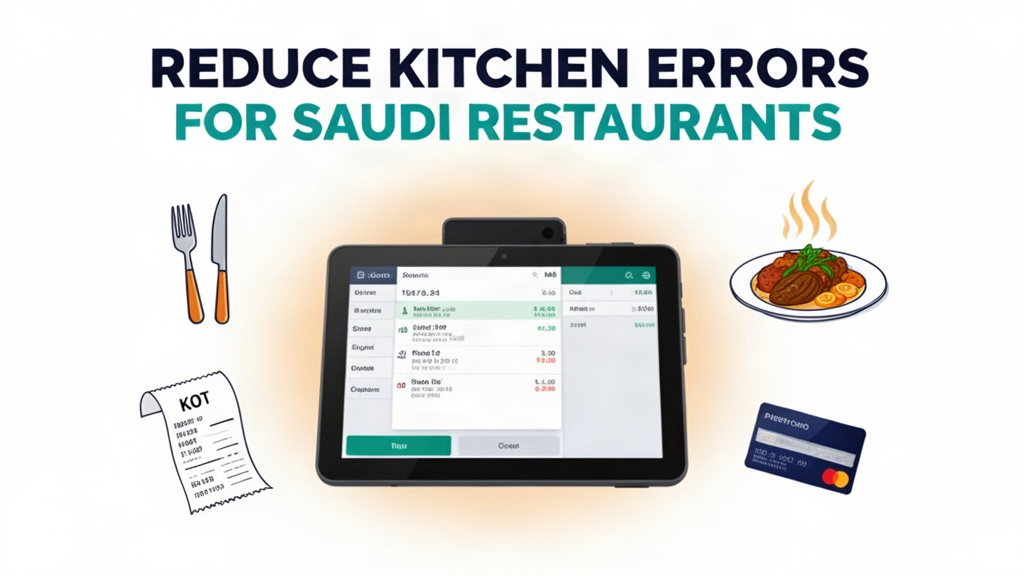
It's Friday evening in Riyadh, and Al-Mashhad Restaurant is fully booked. The waiter takes an order from a family at Table 12. He writes "Chicken Biryani with extra spicy" on a paper napkin, runs to the kitchen, hands it to the chef, and returns to the restaurant. The kitchen staff reads the napkin and calls out the order to the chefs in the back. A different waiter at Table 8 orders "Chicken Biryani, mild" on the POS system. The server prints a ticket that goes straight to the kitchen display screen. A third order arrives via food delivery app with the dish listed as "Chicken Biryani, extra spicy" in the app interface. The kitchen cooks all three orders, but the waiter who wrote on the napkin accidentally left off the "mild" note, so the chef at Table 8 gets extra spicy biryani—cold. A customer calls the waiter over and asks why their dish is too spicy. The waiter apologizes, and the family leaves without finishing their meal.
Saudi Arabian restaurants experience 25-35% of orders incorrectly transmitted to the kitchen without a digital kitchen display system. This isn't just a minor inconvenience—it's a problem that affects customer satisfaction, food costs, and staff morale.
Order Errors Between Front-of-House and Kitchen Staff
Every restaurant in Saudi Arabia faces this exact scenario. Without a digital kitchen display system (KDS), order transmission relies entirely on human communication. Waiters write orders on paper tickets, say them over the intercom, or pass written notes to kitchen staff. Delivery drivers call in orders that may not match what's actually on the table. One wrong word, one misheard request, one handwritten detail that's hard to read—all of these lead to wrong dishes going out. When the mistake is discovered, it's already too late. The food is cooked, served, and the customer is disappointed. The waiter has to go back to the kitchen, explain the mistake, and either start over or offer a partial discount. The kitchen staff is frustrated because they're being asked to remake dishes that they correctly cooked based on the information they received. The chef feels unsupported because the system puts the blame on him, even though the order note was incomplete.
The financial impact adds up quickly. In a 50-seat restaurant in Riyadh, that 30% error rate means 15-17 wrong orders per week. Each wrong order costs the restaurant money in ingredients, labor, and the discount given to the customer. A single misplaced "mild" or "extra spicy" can lead to an entire meal being wasted. Beyond direct costs, wrong orders damage the restaurant's reputation. In Saudi Arabia's hospitality sector, word-of-mouth recommendations are powerful. A family that has a bad experience will tell their friends and social media followers. Over time, a restaurant with a reputation for mistakes loses regular customers to competitors who deliver consistently accurate orders.
What the Restaurant POS System Actually Does
Ubisky Restaurant POS System replaces the chaos of paper tickets, phone calls, and misheard orders with a complete digital order management workflow. When a waiter takes an order, they enter it into the POS tablet at the table or use the handheld order-taking device. The order appears instantly on the kitchen display screen, organized by table number and priority. The chefs see exactly what each table has ordered, with clear details about modifications, special requests, and timing preferences. When the kitchen finishes cooking an order, the chef marks it as complete on the KDS. The system notifies the waiter to deliver the food, and when the customer pays, the order is automatically closed.
The billing process is equally streamlined. With a fast billing system that supports multiple payment options including Tabby, Tamara, and local bank cards, the customer pays in seconds. The system processes the transaction, prints the receipt, and updates the table status. During peak hours, when lines form at the checkout counter, the POS system allows two staff members to work together—one at the table processing payments while another prepares the next customer's order. The automated inventory tracking means that when ingredients run low, the system alerts the manager to restock before the restaurant runs out. Instead of guessing how much chicken to order based on past trends, the system uses real-time data to suggest exactly what to buy.
Key Features with Real Use Cases
Digital Order Taking with Kitchen Display System
A family at Table 8 in Riyadh orders mixed grills with lemon rice, and the waiter enters it into the POS system. The order appears on the KDS screen labeled "Table 8 - Priority: Medium" with clearly marked modifications: "No onions, extra lemon rice." The kitchen team sees the order instantly, can see when it was placed, and can prioritize it based on preparation time. When the chef finishes cooking, they tap a button on the KDS to mark it as complete, and the system automatically notifies the waiter that Table 8's food is ready. This eliminates the 25-35% error rate that comes from handwritten notes and verbal instructions.
Digital KDS also improves kitchen workflow. Multiple orders appear on one screen, grouped by table and priority. The chefs can see at a glance which orders are urgent and which can wait. The system shows preparation times for each dish, helping the kitchen team balance the workload. Instead of one chef overwhelmed by ten orders while another has nothing to do, the system distributes tasks evenly. The result is faster service, happier customers, and less stress for the kitchen staff.
Automated Inventory Tracking and Low-Stock Alerts
Al-Mashhad Restaurant typically uses 15 kg of basmati rice and 8 kg of chicken daily. With manual tracking, the manager has to check inventory every morning and estimate weekly orders based on experience. Sometimes they run out of a popular item halfway through the week, leading to disappointed customers. With Ubisky's automated inventory system, the restaurant tracks every gram of food that's used. When basmati rice drops to 10 kg, the system alerts the manager to restock. The restaurant can set reorder points for each ingredient, so they never run out. The system also suggests optimal order quantities based on historical usage patterns, reducing waste and ensuring consistent availability.
Fast Billing with Multiple Payment Options
During Ramadan evenings when the restaurant is busiest, the billing queue can stretch past the dining area. With Ubisky's fast billing system, two staff members can process payments simultaneously—one at the POS counter, one at the table using a handheld device. The system supports all major payment methods used in Saudi Arabia: Tabby, Tamara, credit cards, debit cards, and cash. Customers complete their payments in under 30 seconds, freeing up the table for the next party. The automated receipt generation includes transaction details and can optionally include the restaurant's loyalty program points.
Daily Sales and Margin Analytics
The restaurant manager sits down on Sunday evening to review the week's performance. The Ubisky dashboard shows total sales, average check size, table turnover rate, and top-selling dishes. The margin analysis reveals that chicken biryani has a 65% profit margin, while mixed grills have only 40% margin. The manager decides to promote chicken biryani on the menu and introduce a special promotion for mixed grills to improve margins. The system also shows peak hours and customer traffic patterns, helping the manager schedule staff more effectively. Instead of guessing when the restaurant will be busiest, the data tells them exactly when to add more waiters or extend kitchen hours.
| Stat | Value |
|------|-------|
| Order errors without KDS | 25-35% |
| Error reduction with KDS | 60-70% |
| Throughput increase with fast billing | 20-30% |
Local Market Context: Saudi Arabia
Saudi Arabia's restaurant industry is highly competitive, with thousands of dining options across Riyadh, Jeddah, Dammam, and other cities. The market is dominated by large restaurant chains and international brands, but independent restaurants thrive in local neighborhoods where they have loyal customer bases. The key challenge for independent restaurants is competing with large chains that have sophisticated technology and marketing budgets. Digital ordering and kitchen management systems level the playing field by giving small restaurants access to professional-grade tools.
Payment methods in Saudi Arabia have evolved rapidly. In recent years, the market has shifted heavily toward installment-based payment options. Tabby, Tamara, and other buy-now-pay-later services are now used by 70-80% of customers in hospitality, including restaurants. Traditional payment methods are still widely used, especially for cash payments. The Ubisky POS system supports all these payment methods, ensuring that customers can pay in the way that's most convenient for them. This flexibility is essential for capturing every customer—some will pay with Tabby, others with cash, and the system handles both seamlessly.
The rise of food delivery apps has also changed how Saudi restaurants operate. With apps like Hungerstation, Jahez, and Talabat delivering food from local restaurants to customers' homes, restaurants need systems that integrate with these platforms. Ubisky's POS system can receive orders directly from food delivery apps, displaying them on the KDS alongside in-house orders. This means the kitchen sees all orders—whether from customers sitting at tables or customers ordering through delivery apps—in one unified system. No more lost orders, no more confusion about which table an order belongs to, and no more missed delivery orders that go unnoticed because they don't have a physical ticket.
How to Get Started
- Book a 14-day trial with Ubisky and request a demo focused on the kitchen display system
- During the demo, watch the order flow from table tablet to KDS to show the entire team
- Import your existing menu items and set up modifiers like spice level, portion size, and special requests
- Set up the KDS in your kitchen and train the chefs to mark orders as complete
- Use the trial period to measure error rates and compare them to your previous month's performance
> Book a free demo — we'll show you how Saudi restaurants use Ubisky to eliminate order errors and increase table turnover.
>
> Join 400+ businesses across GCC, Africa and South Asia already using Ubisky. Free 30-day trial — no credit card required.
>
> Book a Free Demo | Explore Restaurant POS System
Does the POS system integrate with Tabby and Tamara payment processors?
Yes, Ubisky integrates with Tabby, Tamara, and all major local payment gateways. When a customer selects Tabby at checkout, the system processes the installment payment through Tabby's API and generates the correct receipt. You don't need separate terminals or manual reconciliation—the system handles everything automatically.
How does the kitchen display system work with food delivery apps?
Delivery orders from Hungerstation, Jahez, and Talabat can be integrated directly with the POS system. When a delivery order arrives, it appears on the KDS just like an in-house order, grouped by restaurant name and delivery platform. The system automatically assigns the order to a delivery station on the KDS, preventing mix-ups between in-house and delivery orders.
Can we manage multiple restaurant locations from one POS system?
Yes, Ubisky supports multi-location restaurant management. Each location has its own menu, staff, and pricing, but the central dashboard shows performance across all locations. You can transfer inventory between locations, manage staff schedules across sites, and analyze consolidated sales data. This is ideal for restaurant chains that want to maintain consistency while scaling operations.
What happens if we have a power outage during peak service?
Ubisky is built to handle service interruptions gracefully. If the system goes offline, the POS remains operational in offline mode, allowing you to continue taking orders on tablets. Orders are stored locally and automatically sync to the cloud when connectivity is restored. The KDS displays a clear offline indicator, so kitchen staff know that orders are pending until the system reconnects. The system includes backup generators and redundant servers to minimize downtime.
Can we customize the menu interface to match our restaurant's branding?
Yes, you can fully customize the POS interface with your restaurant's branding, including colors, logo, and terminology. You can create custom categories, modifiers, and print templates that align with how your kitchen and staff work. The customization ensures that every team member interacts with a system that matches your brand identity.
Al-Mashhad Restaurant in Riyadh now processes every order with 100% accuracy, serving customers their food exactly as they ordered it—no more cold biryani at Table 8, no more disputes in the dining room. The digital kitchen display system has transformed the restaurant's operations, reducing errors by 65% and increasing table turnover by 25% during peak hours. For Saudi restaurants facing the same communication challenges, the solution is already implemented and ready to deploy.
See Restaurant POS System in Action
Join 400+ businesses across GCC, Africa & South Asia already using Ubisky.
Free 30-day trial — no credit card required.