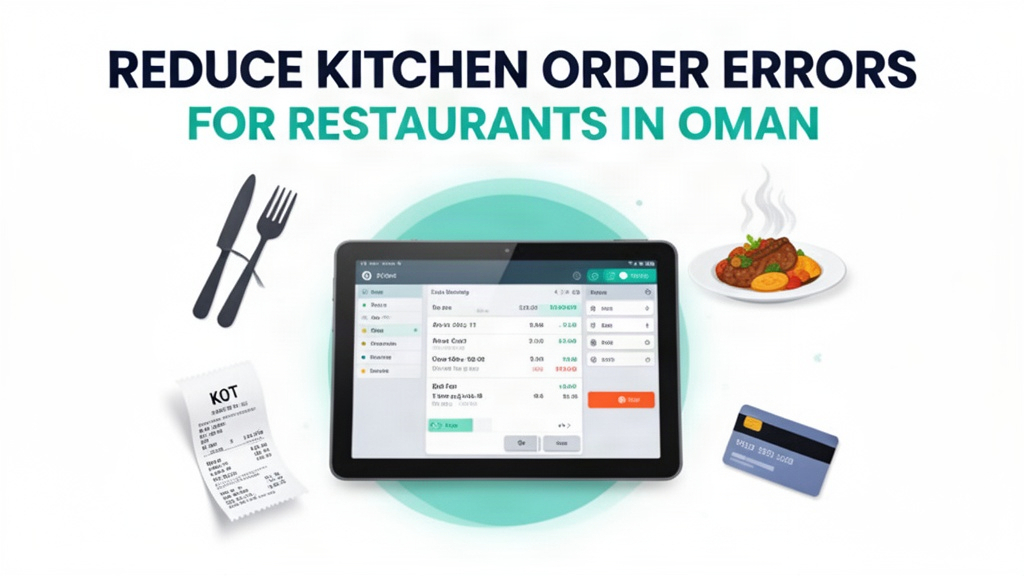
The dinner rush is in full swing at the Al Khozama restaurant in Muscat. The server at table 12 calls the order to the kitchen. He's busy with another table, so he rushes through the details: "Four grilled shrimp, two orders of mixed grill, one chicken biryani." The kitchen staff writes the order on a pad and yells it to the grill station. The grill cook writes it down, checks off each item, and starts cooking. By the time the order reaches the customer, the grill cook has already prepared three other orders, and he's forgotten which garnish goes with the shrimp. The server has to go back to the kitchen, interrupt the cook, and clarify the order. The customer is growing impatient. Meanwhile, the cash register is ringing as customers leave, and the manager is wondering how many orders have been delayed because of this confusion.
This is a Friday evening in Muscat. Every restaurant in Oman knows this scenario—order errors that waste time, frustrate customers, and increase food costs.
The Hidden Cost of Order Errors
Order errors between front-of-house and kitchen staff cause an estimated 20% to 30% waste in food and ingredient costs. When a customer receives the wrong dish, the restaurant has to remake it, which means using more ingredients and wasting the incorrectly prepared food. If the customer refuses to accept the replacement, the dish is discarded entirely. Over time, these small errors add up to significant food waste, which directly impacts profit margins. For a restaurant with monthly food costs of OMR 15,000, 20% waste represents OMR 3,000 in lost revenue every month.
Kitchen order errors also create operational inefficiencies. When a dish is sent back, the kitchen has to stop what they're doing, remake the order, and explain the mistake to the server. This disrupts the entire workflow and can delay multiple orders. Servers spend valuable time going back and forth between the kitchen and dining area, which means they can't attend to other customers. Customers who wait for their orders get frustrated, which can lead to negative reviews, lost reservations, and reduced customer loyalty.
Beyond direct food waste, order errors damage the customer experience. Nothing makes a customer angrier than waiting for an hour for an order that wasn't what they requested. Even if the restaurant remakes the dish quickly, the customer's patience has already been tested, and they may leave a negative review or tell others about the poor experience. In Muscat's competitive restaurant market, where customers have many dining options, a few bad experiences can significantly impact a restaurant's reputation and long-term success.
Slow billing and checkout processes during peak hours compound the problem. When servers are busy taking orders, managing tables, and dealing with kitchen issues, billing takes longer. Customers wait at the table while the server completes the order and processes payment. This delay can lead to longer table turnover times, which means fewer customers can be served during peak hours. In competitive markets like Muscat, every minute of delay costs revenue.
What the Software Actually Does
Restaurant POS System is a complete restaurant software that handles order management, billing, inventory, and kitchen display system integration. When a server enters an order at the table or through the POS system, it's sent directly to the kitchen display system (KDS) on monitors mounted behind the counter. The order appears instantly with all details—food items, special instructions, table number, and priority. The kitchen staff sees the order, acknowledges it, and starts preparing it. When the dish is ready, they mark it as complete on the KDS, which sends an alert to the front-of-house system. The server sees the notification and can deliver the food to the customer.
The kitchen display system eliminates the need for paper tickets. No more writing orders on small scraps of paper that can be lost, unreadable, or transferred to other stations. The order stays on the screen until it's marked as complete, ensuring that the kitchen has the correct information throughout the preparation process. Special instructions—such as "no onions," "extra spicy," or "prepared separately"—are clearly visible on the screen, so there's no confusion about customer preferences. The system can also prioritize orders based on timing or complexity, so high-priority orders are completed first.
Automated inventory tracking and low-stock alerts ensure that the kitchen never runs out of essential ingredients. When an ingredient falls below the minimum threshold, the system sends an alert to the manager or inventory clerk. This proactive approach prevents the kitchen from running out of popular items, which would require emergency reorders, increase costs, and disrupt service. The system tracks inventory in real time, showing usage patterns and predicting when stock will run out based on historical data.
Fast billing with multiple payment options simplifies checkout for customers and servers. The system generates bills quickly, applies discounts and promotions automatically, and accepts various payment methods—cash, credit/debit card, Meezan Pay, Oman Islamic Bank, and other local options. The bill is sent directly to the customer's phone via SMS or WhatsApp for quick payment at the table, which speeds up checkout and reduces lines during peak hours. The system also generates reports showing daily sales, transaction counts, and payment breakdowns, which helps owners understand revenue trends and optimize operations.
Daily sales and margin analytics provide insights that drive decision-making. The system tracks revenue by category—food, beverages, services—so you can see which areas are performing well and which need attention. It tracks average ticket size, peak hours, and table turnover rates, which help you optimize staffing and menu placement. Margin analytics show the profitability of each dish, helping you identify high-margin items to promote and low-margin items to optimize or replace. This data-driven approach helps restaurants make informed decisions about pricing, menu engineering, and staffing.
| Stat | Value |
|------|-------|
| Kitchen order error reduction | 60% |
| Food waste reduction | 55-65% |
| Kitchen throughput improvement | 35-45% |
Key Features with Real Use Cases
Digital Order Taking with Kitchen Display System
When a customer orders at table 12, the server enters the order into the POS system. The order appears instantly on the kitchen display screens, categorized by station—grill, fry station, cold station, and pizza station. Each station has a dedicated monitor showing only its orders. The grill station cook sees "Grill Station: 4 grilled shrimp, 2 mixed grill, 1 chicken biryani" and marks the shrimp as received. The fry station cook sees the fries and appetizers and marks them as received. The cold station cook prepares the salads and sides. Each station acknowledges its orders, so the kitchen staff knows exactly what they're making and can coordinate their efforts efficiently.
As orders are completed, cooks mark them as ready on the KDS. The system sends a notification to the front-of-house system: "Order #124 ready at table 12." The server sees the notification, picks up the food, and delivers it to the customer. If the order is particularly complex, the system can send a warning to the kitchen when the last item is marked ready, ensuring that the complete order is presented together. This reduces the number of incomplete orders delivered to customers and improves the overall dining experience.
The KDS also shows special instructions and customer preferences clearly. If a customer requests "no onions" on their grilled shrimp, this is highlighted in red on the screen. If a table has requested a slow cooker item or a custom preparation, the system notes this so the kitchen staff is prepared before the order even arrives. This reduces the chance of errors and ensures that customer requests are honored accurately, which improves satisfaction and encourages repeat visits.
Automated Inventory Tracking and Low-Stock Alerts
The inventory system tracks every item that's sold, updating the stock count in real time. When you order chicken breast from a supplier, you add it to the system, and the stock count increases. As you sell chicken breast to customers, the stock count decreases automatically. When stock falls below the minimum threshold—say, 10 kg—the system sends an alert to your phone: "Alert: Chicken breast stock is at 8 kg. Minimum threshold is 10 kg." This notification appears instantly, so you can take action before the kitchen runs out.
The system can automatically generate purchase orders based on low-stock alerts, or you can review the alerts manually and create orders as needed. It tracks multiple locations, so you can see inventory at all branches from one dashboard. If you have multiple restaurants in Muscat, you can transfer stock between locations if needed, ensuring that the restaurant with high demand has the ingredients it needs while the other restaurant has excess stock. This flexibility optimizes inventory levels and reduces waste.
The system also tracks expiration dates for perishable items. If you have 5 kg of fish that expires in 3 days, the system alerts you so you can use it in priority dishes or apply it to promotional offers. This proactive approach reduces waste and ensures that customers receive fresh ingredients. By tracking usage patterns and expiration dates, the system helps you plan purchases more efficiently, reducing overstocking and understocking while maintaining quality and consistency.
Fast Billing with Multiple Payment Options
During peak hours, when multiple tables are ordering simultaneously, the system handles billing quickly so tables can clear efficiently. The server enters the order into the POS, the system automatically calculates the total including taxes and service charges, and presents the bill to the customer at the table. The customer can pay with cash, credit/debit card, or mobile payment options like Meezan Pay or Omantel Cash. The system generates a digital receipt that's sent to the customer's phone via SMS or WhatsApp, which they can save for expense reporting or expense claims.
For corporate accounts or recurring customers, the system supports customer cards and automatic billing. The customer authorizes the restaurant to charge their card on a recurring basis, and the system processes the payment automatically at the end of each period. This reduces the time spent collecting payments and improves cash flow for the restaurant. The system can also split bills between customers, apply group discounts, and handle special promotions—all automatically and accurately.
Fast billing also improves table turnover. When tables clear quickly, you can seat more customers during peak hours, which increases revenue. The system's efficiency means servers can process multiple tables in the time it would normally take to handle one. This is especially important during dinner rushes and holiday periods when customer volume is high and competition is intense.
Daily Sales and Margin Analytics
The analytics dashboard shows you exactly how your restaurant performed each day, week, month, or year. You can view revenue by category—food, beverages, services—and see which areas are contributing most to your bottom line. You can compare today's performance against yesterday, last week, or the same day last month, which helps you identify trends and seasonality. For example, you might see that Fridays consistently generate 30% more revenue than weekdays, which informs your staffing and inventory planning.
Margin analytics show the profitability of each dish, ingredient, or category. You can see which items have high profit margins and which are eating into your revenue. This data helps you optimize your menu—you can promote high-margin items, adjust pricing on low-margin items, or negotiate better terms with suppliers for bulk purchases. For example, if you notice that your biryani dishes have low margins but high volume, you can increase the portion size to improve margins, or you can add value-added options like a free dessert to increase the average ticket size.
The system also tracks table turnover rates, peak hours, and customer count. This data helps you optimize your staffing and operations. If you see that turnover is slow between 7 PM and 9 PM, you can adjust your staffing to reduce bottlenecks. If you notice that customers are consistently leaving before dessert because they're full, you can adjust portion sizes or offer smaller appetizers to improve throughput. The analytics provide the insights you need to make data-driven decisions that improve both customer satisfaction and profitability.
Local Market Context: Oman
Muscat has a vibrant restaurant scene with diverse options ranging from traditional Omani cuisine to international flavors. Restaurants in Oman face unique challenges, including strict food safety regulations and a competitive market where customers have high expectations. Order errors, food waste, and slow service can damage a restaurant's reputation quickly, especially in an online review-driven market like Muscat.
Payment methods in Oman are increasingly digital, with mobile payment options like Meezan Pay, Omantel Cash, and bank transfers becoming widely accepted. The restaurant system's integration with these payment options ensures that restaurants can accept a variety of methods, making checkout fast and convenient for customers. Cash is still common, but the growth of digital payments means that having multiple payment options is essential for serving all customer segments effectively.
Cultural considerations also matter. In Oman, food is often shared, and restaurants may have family-style seating or communal tables. The system's table management features accommodate these seating arrangements, allowing you to organize tables efficiently and ensure that orders are delivered to the correct locations. The system can handle group orders, split bills, and special requests, which are common in family dining and large group settings.
The restaurant industry in Oman is growing, with new establishments opening regularly. Differentiation comes from operational excellence—speed, accuracy, and customer experience. Restaurants that digitize their operations, reduce errors, and improve efficiency gain a competitive edge. By investing in digital order management, inventory tracking, and sales analytics, restaurants can reduce waste, improve customer satisfaction, and increase profitability—all of which contribute to long-term success in a competitive market.
How to Get Started
- Audit your current order workflow by observing a busy service period and identifying all points where errors occur—between front-of-house and kitchen, between kitchen stations, or during billing.
- Book a 30-minute Ubisky demo and request a live simulation of your typical orders, including complex dishes, special instructions, and peak-hour volume.
- During the demo, test the kitchen display system with your actual menu items and special requests to ensure the system handles your operations as expected.
- Import your menu into the system and configure your inventory items, pricing, and payment methods to match your current setup.
- Launch the system in one restaurant location and pilot it for 2-4 weeks, training your staff and collecting feedback before expanding to other locations.
> Book a demo — see how Muscat restaurants use Ubisky to digitize orders and cut kitchen errors
Join 400+ businesses across GCC, Africa and South Asia already using Ubisky. Free 30-day trial — no credit card required.
Book a Free Demo | Explore Restaurant POS
Frequently Asked Questions
Can the POS system handle multiple payment methods accepted in Oman?
Yes, the system integrates with all major payment methods in Oman, including cash, credit/debit cards, Meezan Pay, Omantel Cash, and bank transfers. You can configure multiple payment options and customize which methods are available for different locations.
Does the kitchen display system work on multiple monitors?
Yes, the system can display orders on multiple monitors, each configured for different kitchen stations—grill, fry, cold station, pizza station, etc. This ensures that each station has the information they need without confusion.
How do we migrate our existing menu and pricing into the system?
The system provides a CSV import template that you can use to bulk-upload menu items, descriptions, prices, and ingredients. You can customize the template to match your existing menu structure, making migration quick and efficient.
Can we integrate online ordering platforms into the system?
Yes, the system integrates with popular online ordering platforms like Talabat, Careem, and Zomato. Orders from these platforms are automatically sent to your POS system, reducing manual entry and errors.
What happens to our sales data if we cancel the subscription?
Your sales data remains yours. We provide a comprehensive export option that includes all transactions, reports, and analytics, so you can maintain your records and continue using them for future analysis.
---
Order errors, food waste, and slow service are costing Oman's restaurants millions of riyals every year. Restaurant POS System with KDS integration puts an end to these problems by delivering orders accurately, tracking inventory automatically, and providing the analytics you need to optimize operations. When orders move from table to kitchen to customer without errors, when food waste is reduced by more than half, and when your customers consistently receive what they ordered on time, you'll see the difference in your profits and your reputation. The question isn't whether to upgrade your restaurant's technology—it's how quickly you can implement a system that works as hard as your team does.
See Restaurant POS System in Action
Join 400+ businesses across GCC, Africa & South Asia already using Ubisky.
Free 30-day trial — no credit card required.